---
title: How to Perform an Incident Search
description: How to conduct an Incident Report search
---
[Skip to content](https://knowledgebase.civiceye.com/knowledge-base/how-to-perform-an-incident-search#main-content)
English
Show submenu for translations
[Customer Portal](https://portal.civiceye.com/tickets-view?hsLang=en)
.png?width=250&height=99&name=CivicEye_Identity_Secondary%20(4).png)
Open main navigation
Close main navigation
- English
Show submenu for translations
- [Customer Portal](https://portal.civiceye.com/tickets-view)
- [Contact us](https://www.civiceye.com/support/)
[Contact us](https://www.civiceye.com/support/)
How can we help you?
- There are no suggestions because the search field is empty.
1. [CivicEye Knowledge Base](https://knowledgebase.civiceye.com/knowledge-base?hsLang=en)
2. [CivicRMS](https://knowledgebase.civiceye.com/knowledge-base/civicrms?hsLang=en)
3. [Incident Reports](https://knowledgebase.civiceye.com/knowledge-base/civicrms?hsLang=en#incident-reports)
July 3, 2025
# How to Perform an Incident Search
## Performing an Incident Search
Navigate efficiently through the Civiceye application by following a series of precise instructions to perform an Incident Search
### 1. Introduction
From accessing specific sections to initiating searches and clearing criteria, this guide will streamline your experience in finding and managing incidents. First, begin by logging into the CivicEye website.
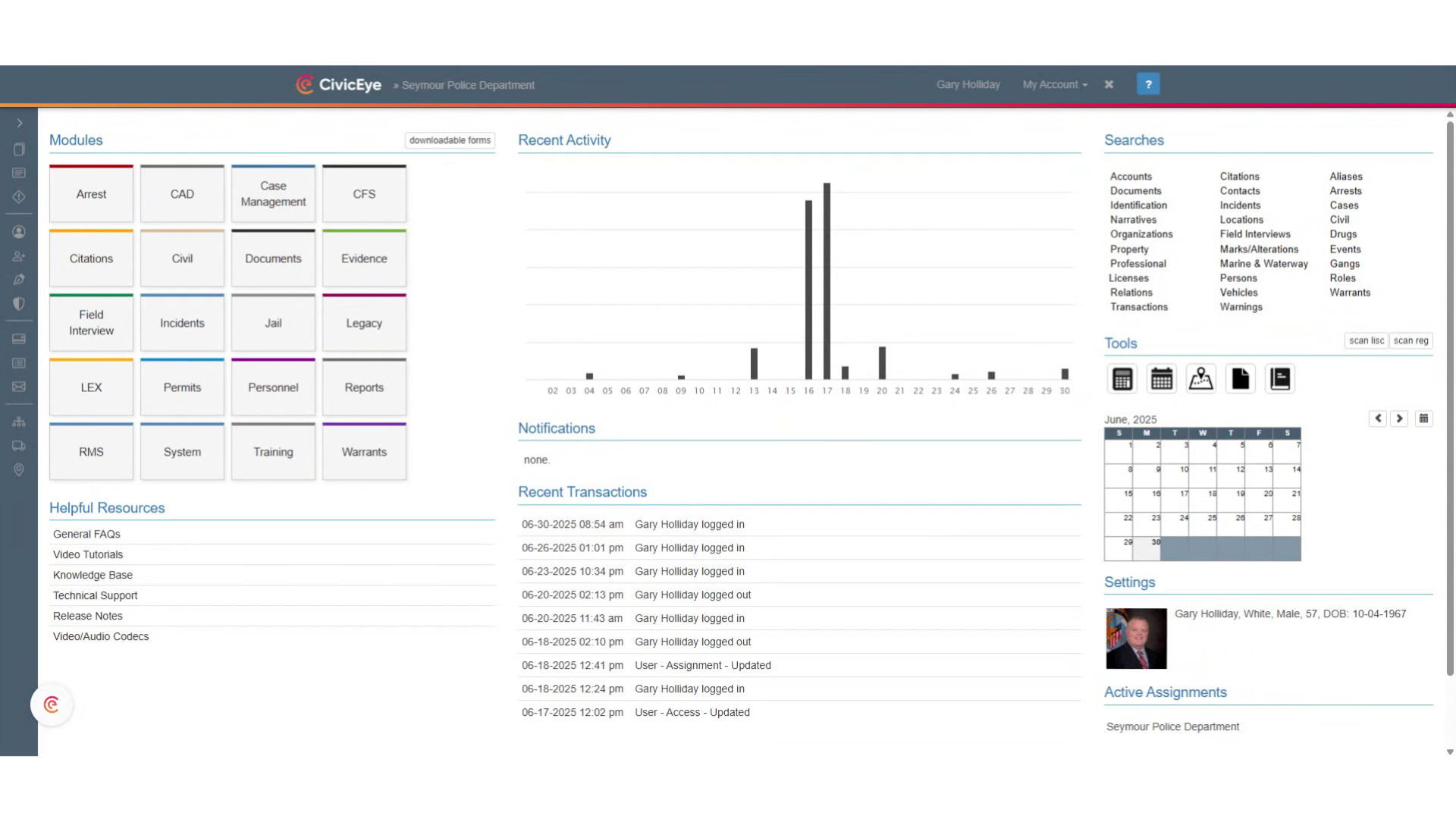
### 2. Select the Incident Module
In the dashboard, select the incident module
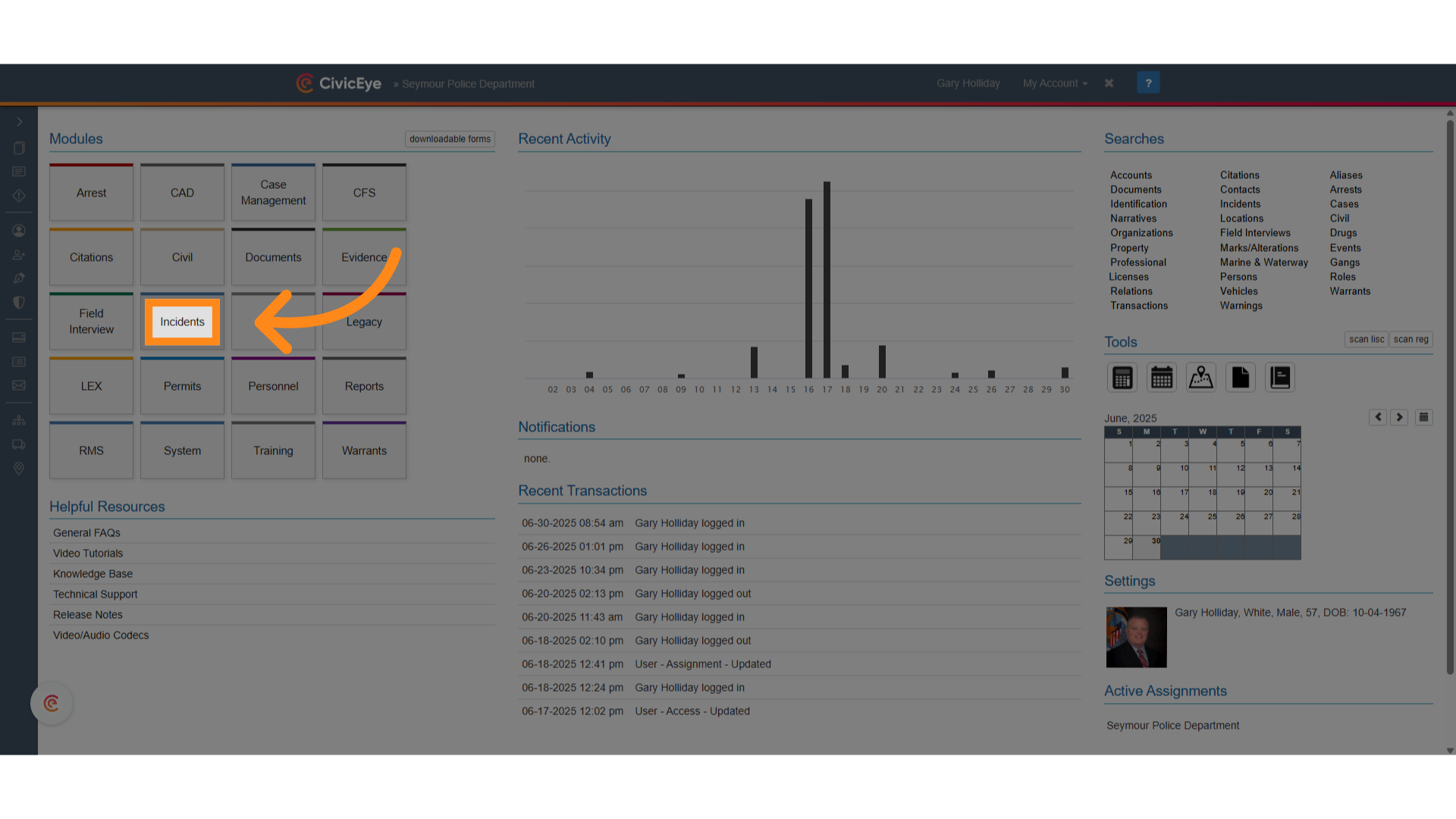
### 3. Select the magnifying glass icon
On the incident module, select the magnifying glass icon. This will open the search function for incident reports.
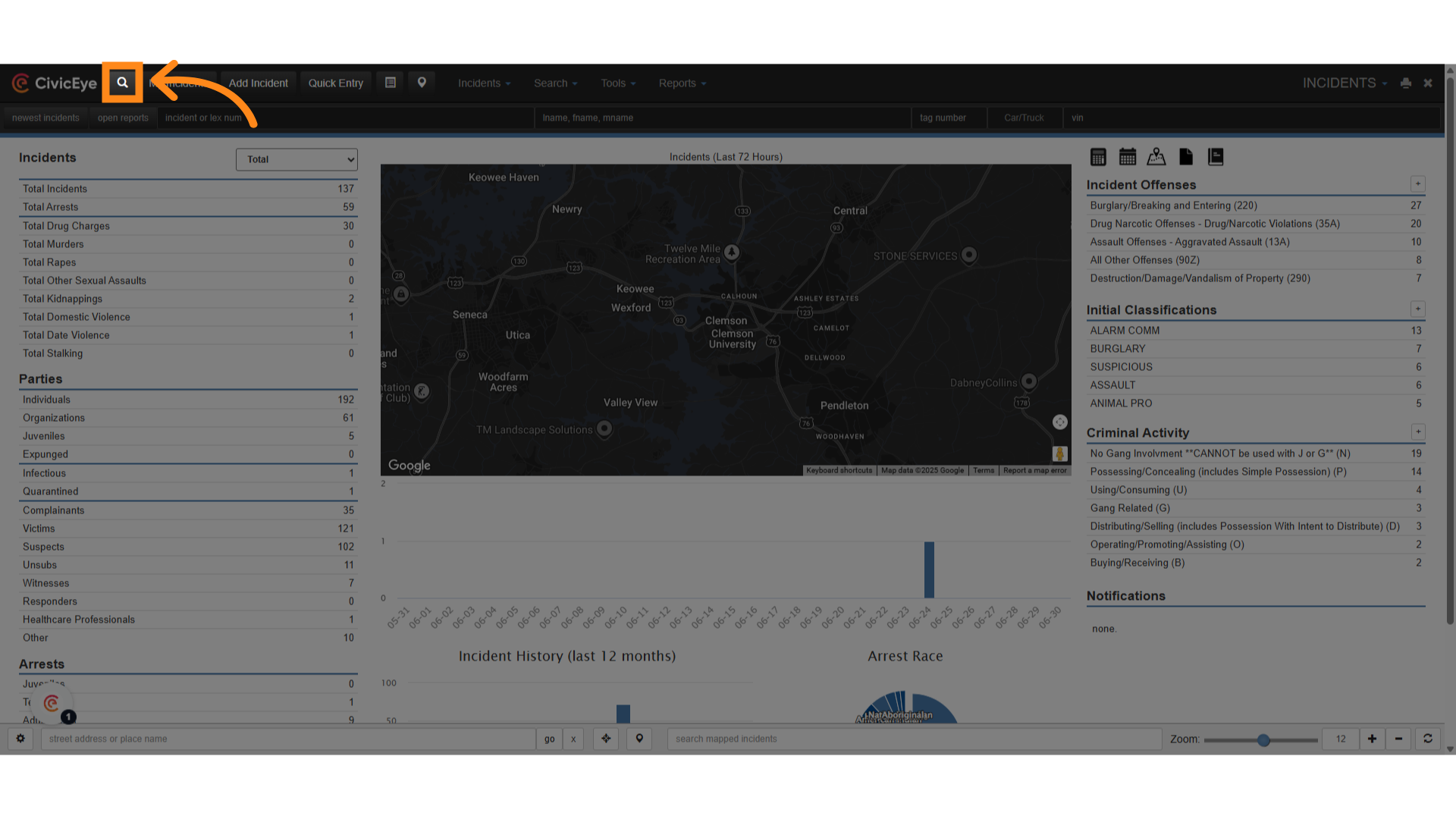
### 4. Click here
This is the incident search, which provides you several options to search for an incident.
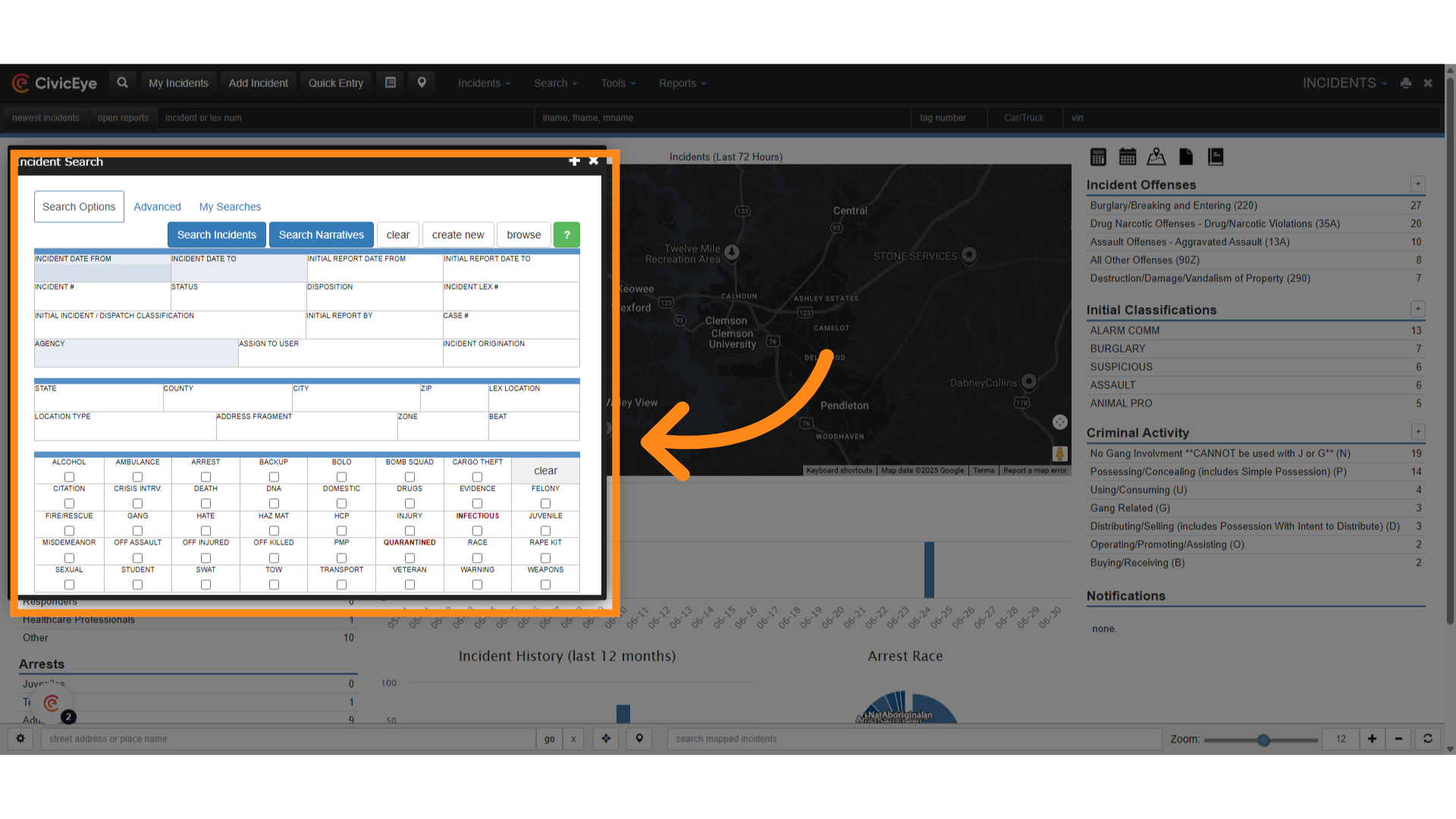
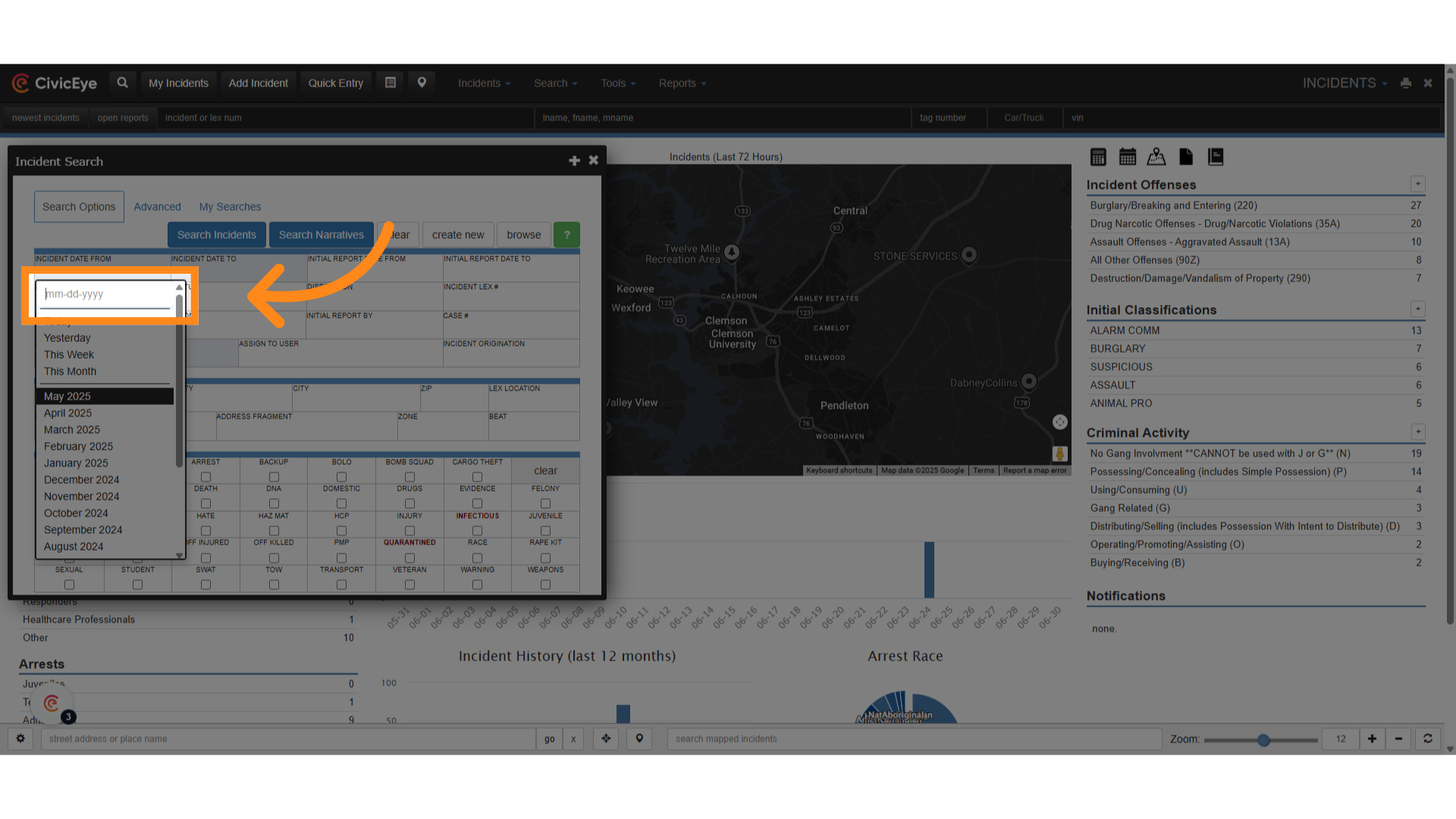
### 5. Click "May 2025"
Our first search will be by incident date. Using the drop down, we will select a date range. For this search we have selected May, 2025.
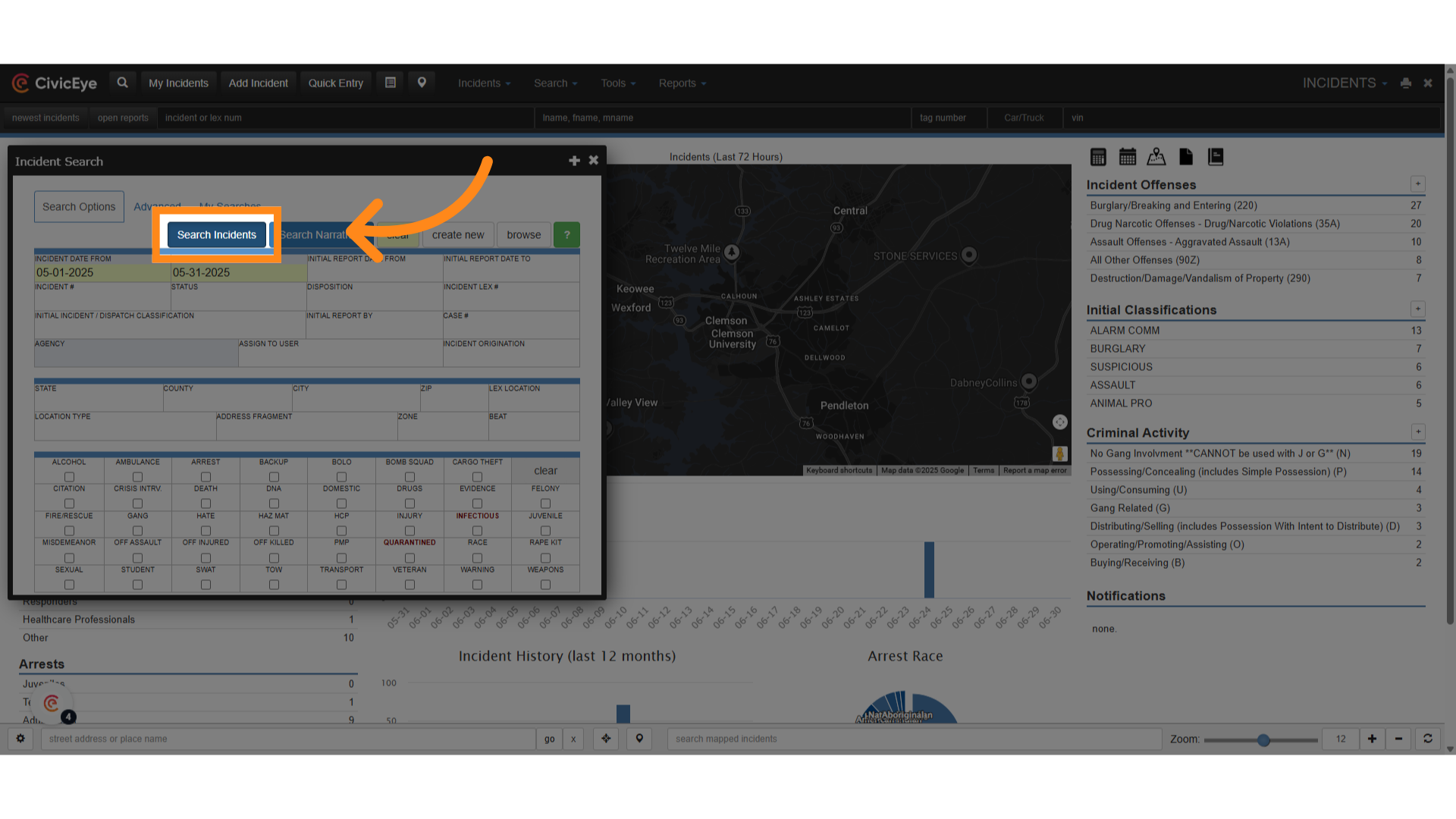
### 6. Click "Search Incidents"
Next, select the search tab. This will initiate a search of all incidents for that date range.
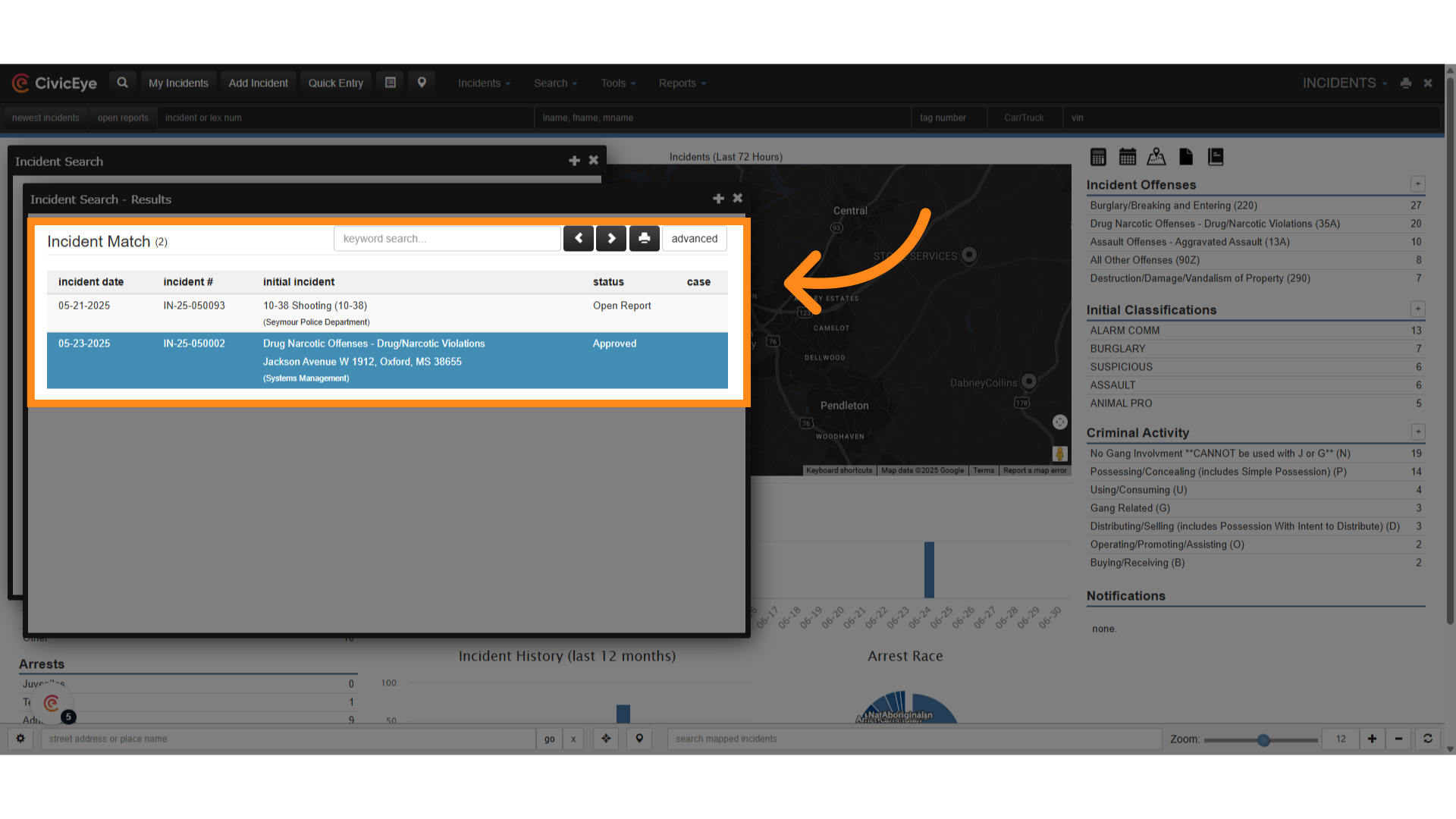
### 7. Search Results
This search provides you with a list of all incident reports completed during that date range.
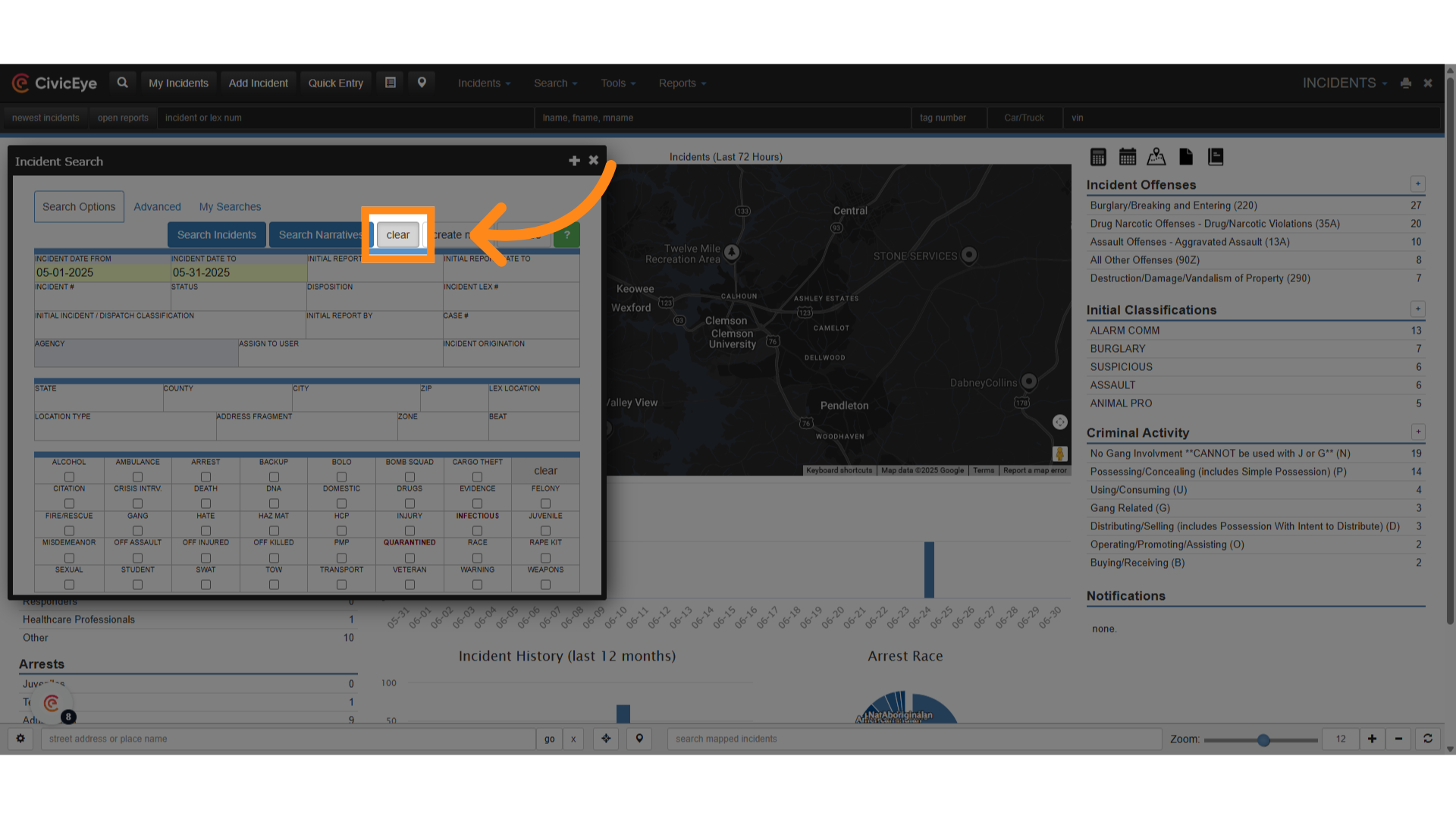
### 8. Click "clear"
Prior to another search, click clear to remove all previous search filters
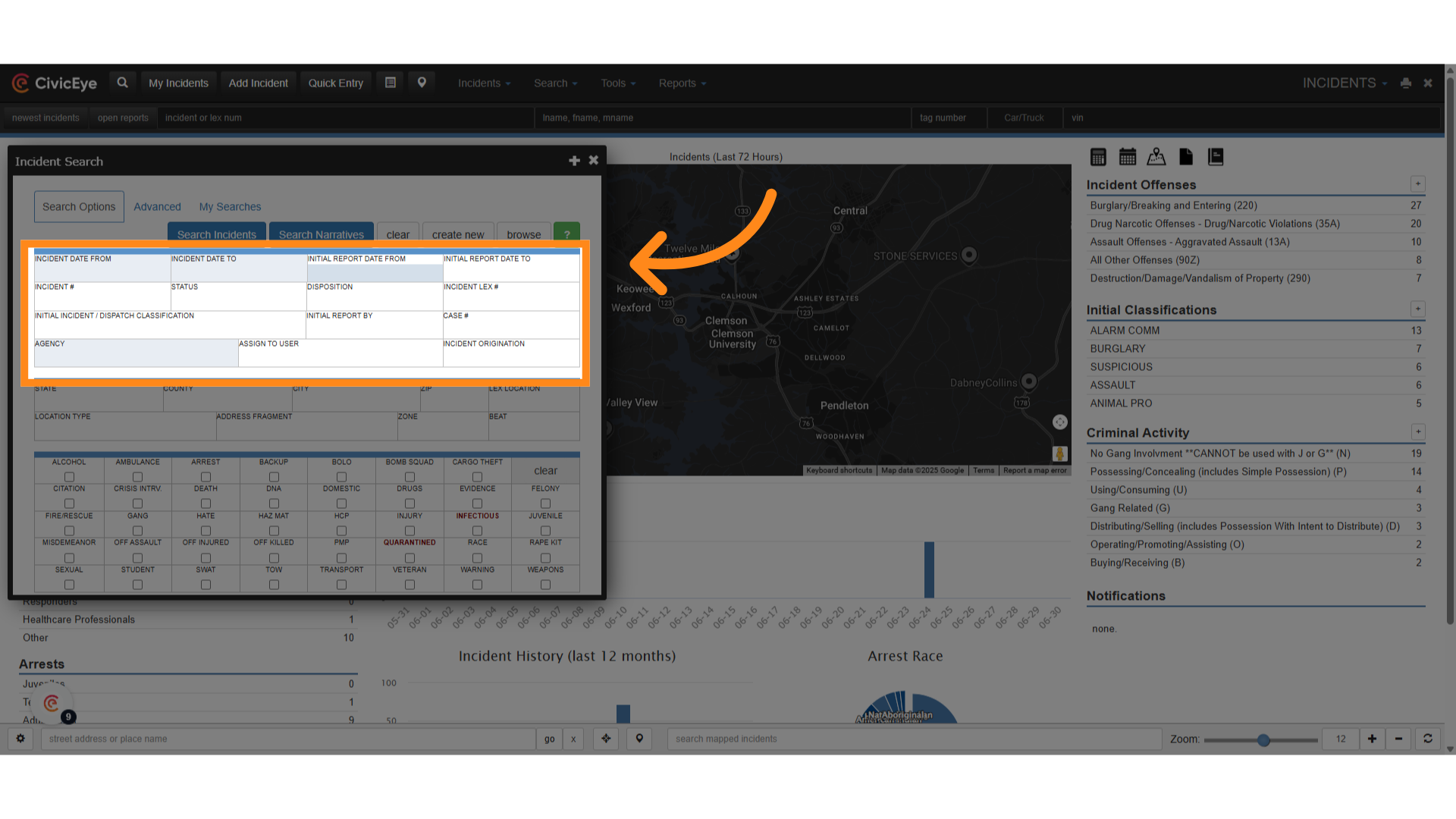
### 9. Click here
Other search filters include initial report dates
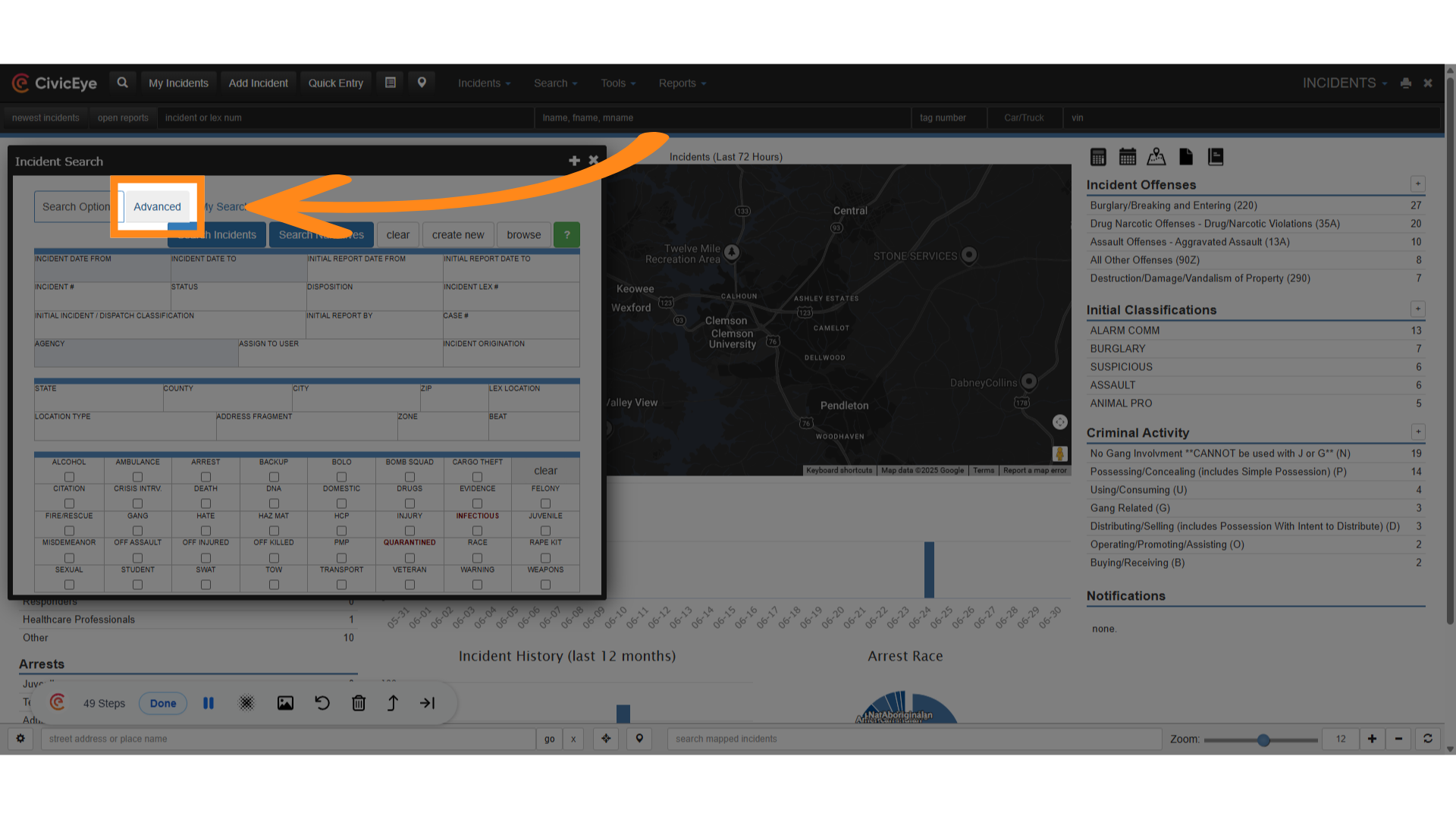
### 10. Click "Advanced"
Incident search also provides users with advanced search features. Select the advanced tab.
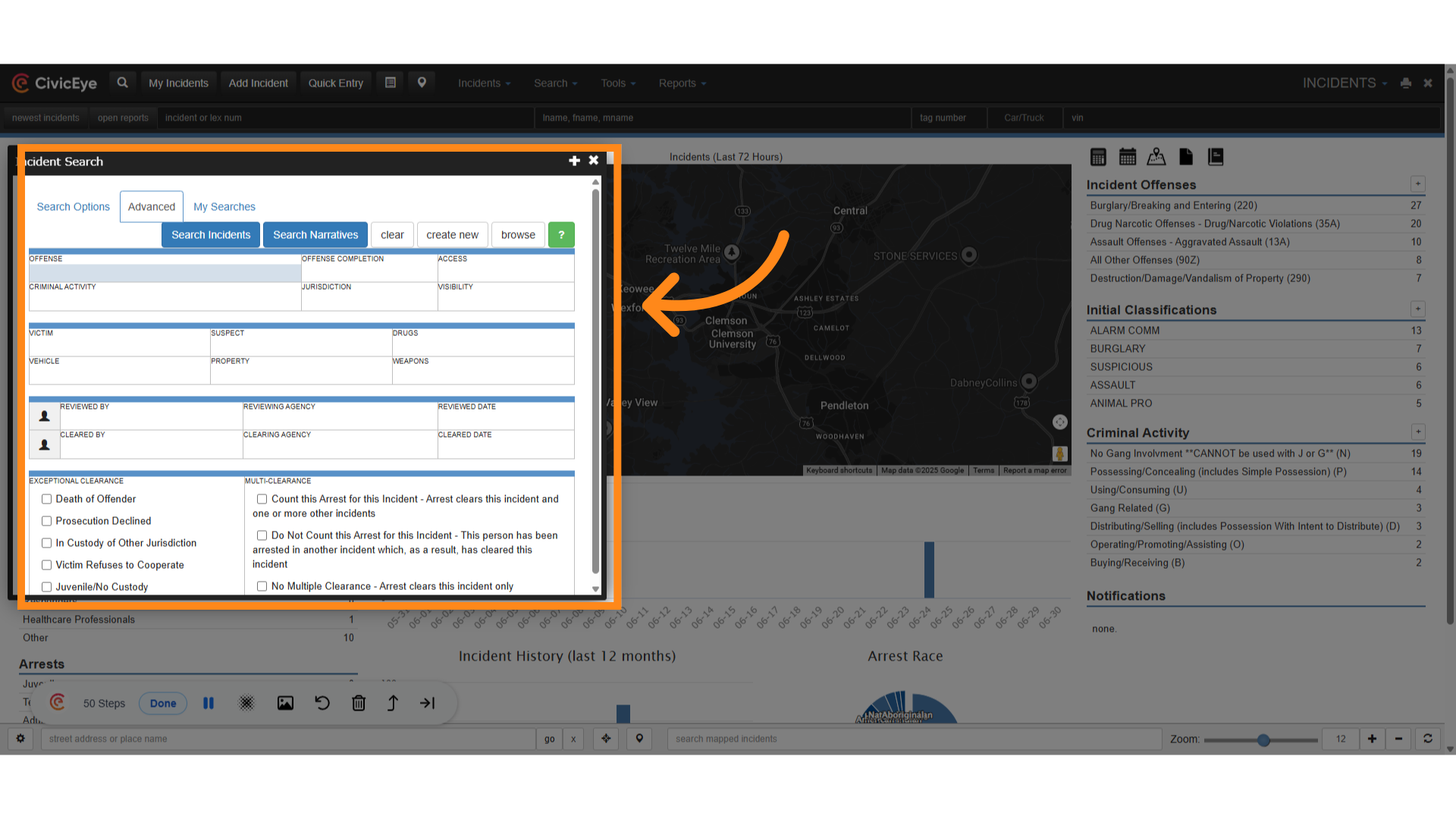
### 11. Click here
This brings up the advanced features page. This provides the user more incident specific search filters.
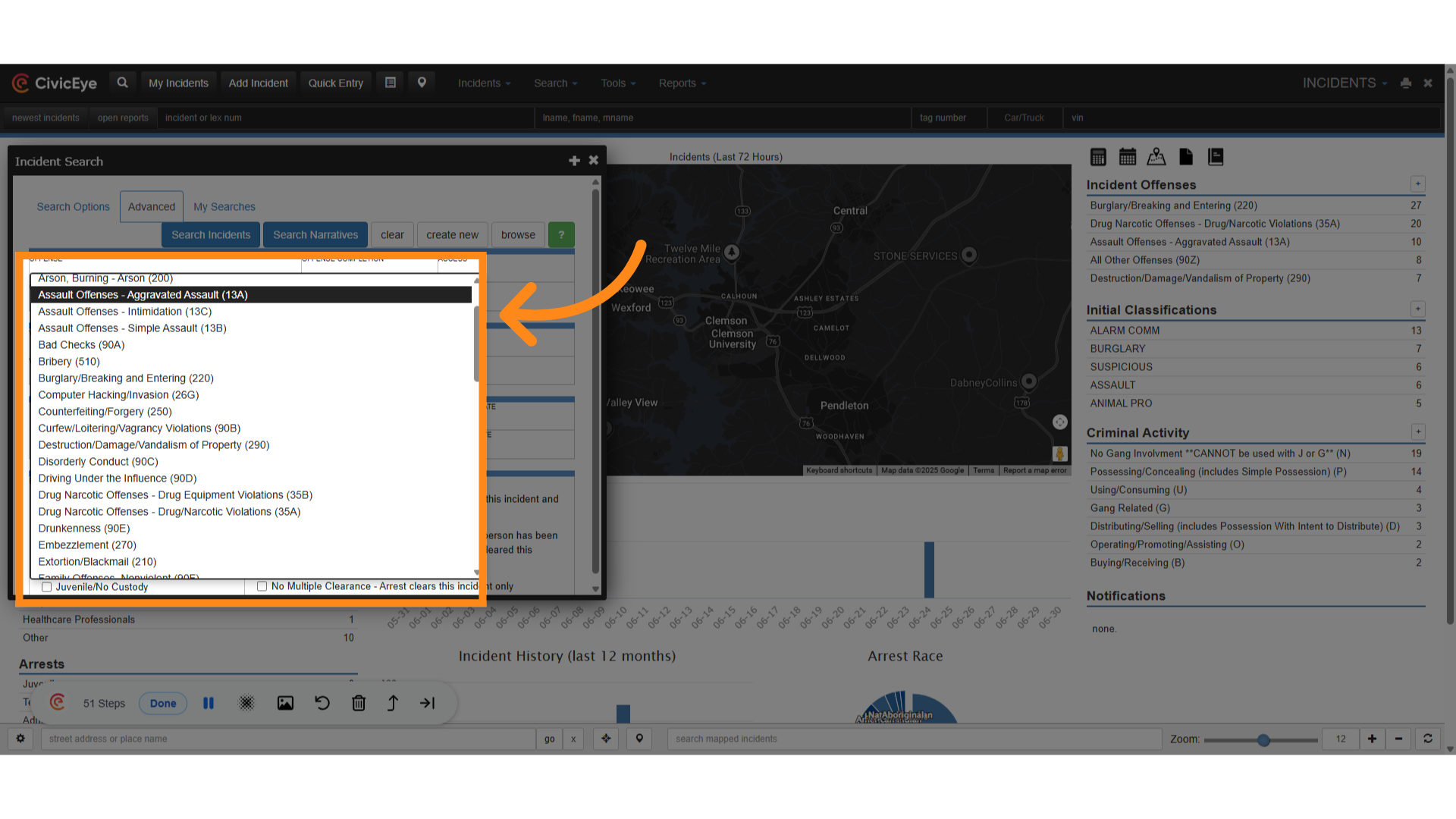
### 12. Click "Assault Offenses - Aggravated Assault (13A)"
Users can now perform a search of NIBRS offenses from a dropdown, as in this case where we search for aggravated assault, or 13A.
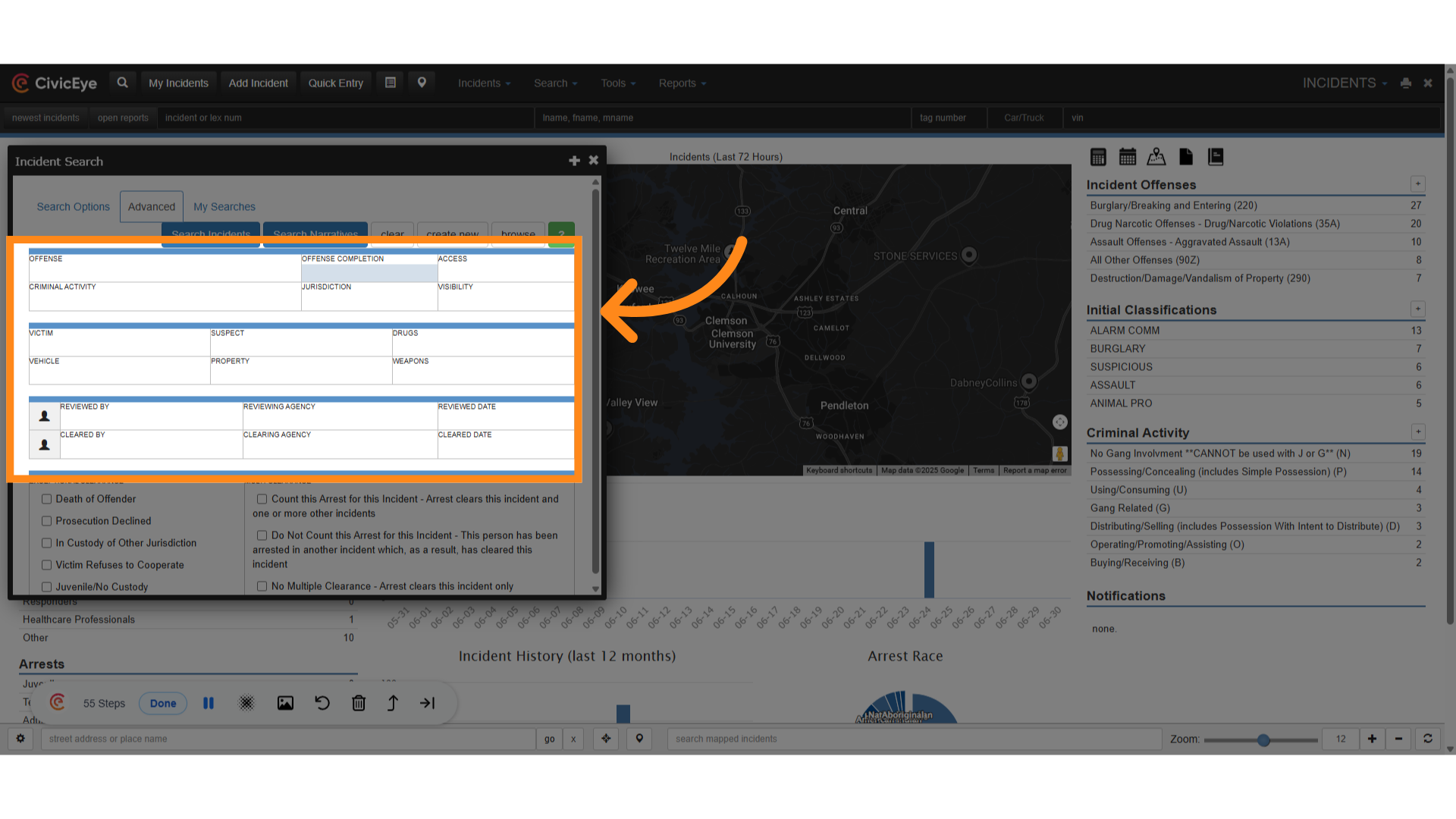
### 13. Victim and Suspect
Using advanced search, users can also search for specific victims and suspects, property, and criminal activity. Users can also review incident approval status and clearance.
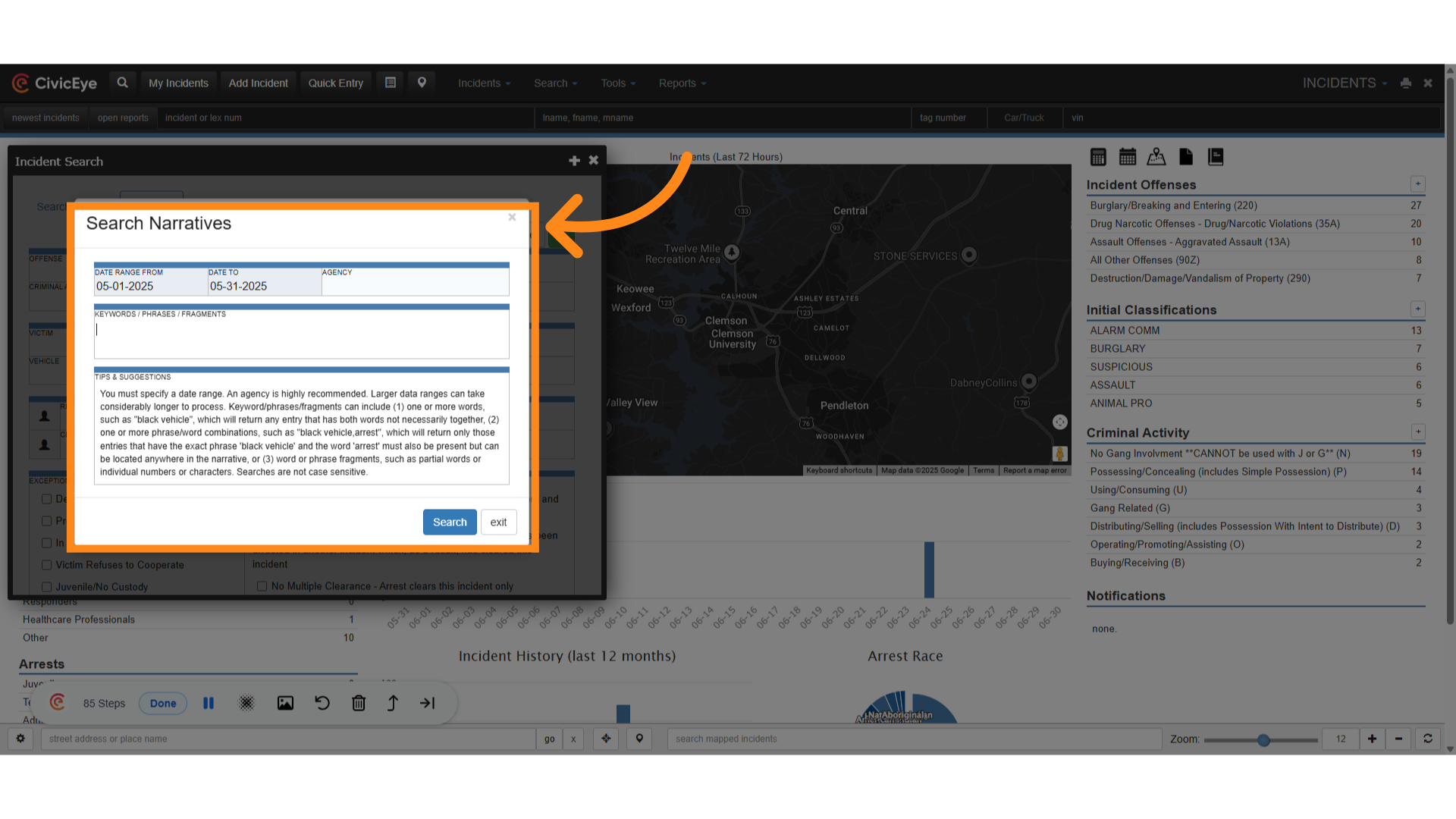
### 14. Narrative Search
Users also have the ability to search narratives for key words or phrases. You must first enter a date range into the appropriate boxes.
If you have any questions or issues, please feel free to call your CivicEye Client Support Representative at 877-778-5277, or visit our website at civiceye.com
[Powered by **guidde**](https://www.guidde.com)
- [How to Request New Training Content](https://knowledgebase.civiceye.com/knowledge-base/how-to-request-new-training-content?hsLang=en)
- [CivicCase](https://knowledgebase.civiceye.com/knowledge-base/civiccase?hsLang=en#main-content)
- [Prosecutor and Admin Portals](https://knowledgebase.civiceye.com/knowledge-base/civiccase?hsLang=en#prosecutor-and-admin-portals)
- [CivicDocs](https://knowledgebase.civiceye.com/knowledge-base/civicdocs?hsLang=en#main-content)
- [Evidence Management](https://knowledgebase.civiceye.com/knowledge-base/civicdocs?hsLang=en#evidence-management)
- [User Access](https://knowledgebase.civiceye.com/knowledge-base/civicdocs?hsLang=en#user-access)
- [Defense Portal](https://knowledgebase.civiceye.com/knowledge-base/civicdocs?hsLang=en#defense-portal)
- [Law Enforcement Portal](https://knowledgebase.civiceye.com/knowledge-base/civicdocs?hsLang=en#law-enforcement-portal)
- [CivicRMS](https://knowledgebase.civiceye.com/knowledge-base/civicrms?hsLang=en#main-content)
- [Master Index](https://knowledgebase.civiceye.com/knowledge-base/civicrms?hsLang=en#master-index)
- [Incident Reports](https://knowledgebase.civiceye.com/knowledge-base/civicrms?hsLang=en#incident-reports)
- [NIBRS](https://knowledgebase.civiceye.com/knowledge-base/civicrms?hsLang=en#nibrs)
- [Property](https://knowledgebase.civiceye.com/knowledge-base/civicrms?hsLang=en#property)
- [Persons](https://knowledgebase.civiceye.com/knowledge-base/civicrms?hsLang=en#persons)
- [Arrest and Warrants](https://knowledgebase.civiceye.com/knowledge-base/civicrms?hsLang=en#arrest-and-warrants)
- [General](https://knowledgebase.civiceye.com/knowledge-base/civicrms?hsLang=en#general)
- [FAQs](https://knowledgebase.civiceye.com/knowledge-base/faqs?hsLang=en#main-content)
- [Support](https://knowledgebase.civiceye.com/knowledge-base/faqs?hsLang=en#support)
- [Training](https://knowledgebase.civiceye.com/knowledge-base/faqs?hsLang=en#training)
- [Support](https://knowledgebase.civiceye.com/knowledge-base/support?hsLang=en#main-content)
- [User Access / Permissions](https://knowledgebase.civiceye.com/knowledge-base/support?hsLang=en#user-access-permissions)
- [Getting started](https://knowledgebase.civiceye.com/knowledge-base/getting-started?hsLang=en#main-content)
- [CivicEye Personnel Module](https://knowledgebase.civiceye.com/knowledge-base/getting-started?hsLang=en#civiceye-personnel-module)
[.png?width=250&height=99&name=CivicEye_Identity_Secondary%20(4).png)](https://knowledgebase.civiceye.com/?hsLang=en)
The Platform for Public Safety
[mailto:help@civiceye.com](mailto:help@civiceye.com)
Copyright © 2025, CivicEye