---
title: Adding Warnings to a Persons Master Index and the Warnings Database
description: Adding Warnings to a Persons Master Index and the Warnings Database
---
[Skip to content](https://knowledgebase.civiceye.com/knowledge-base/adding-warnings-to-a-persons-master-index-and-the-warnings-database#main-content)
English
Show submenu for translations
[Customer Portal](https://portal.civiceye.com/tickets-view?hsLang=en)
.png?width=250&height=99&name=CivicEye_Identity_Secondary%20(4).png)
Open main navigation
Close main navigation
- English
Show submenu for translations
- [Customer Portal](https://portal.civiceye.com/tickets-view)
- [Contact us](https://www.civiceye.com/support/)
[Contact us](https://www.civiceye.com/support/)
How can we help you?
- There are no suggestions because the search field is empty.
1. [CivicEye Knowledge Base](https://knowledgebase.civiceye.com/knowledge-base?hsLang=en)
2. [CivicRMS](https://knowledgebase.civiceye.com/knowledge-base/civicrms?hsLang=en)
3. [Persons](https://knowledgebase.civiceye.com/knowledge-base/civicrms?hsLang=en#persons)
August 24, 2026
# Adding Warnings to a Persons Master Index and the Warnings Database
## To provide a higher level of officer safety and awareness, CivicRMS provides users the ability to apply warnings on individuals. Warnings include violent persons, wanted persons, gang members, to individuals with no trespass orders and civil orders.
# [Adding Warnings to a Persons Master Index and the Warnings Database](https://app.guidde.com/playbooks/rqbYLstP3QacsyJXP93YEJ)
This training video will provide instruction in adding a persons warning in CivicRMS
### Go to [training-rms.civiceye.com](https://training-rms.civiceye.com)
### 1. Persons Warnings
To provide a higher level of officer safety and awareness, CivicRMS provides users the ability to apply warnings on individuals. Warnings include violent persons, wanted persons, gang members, to individuals with no trespass orders and civil orders.
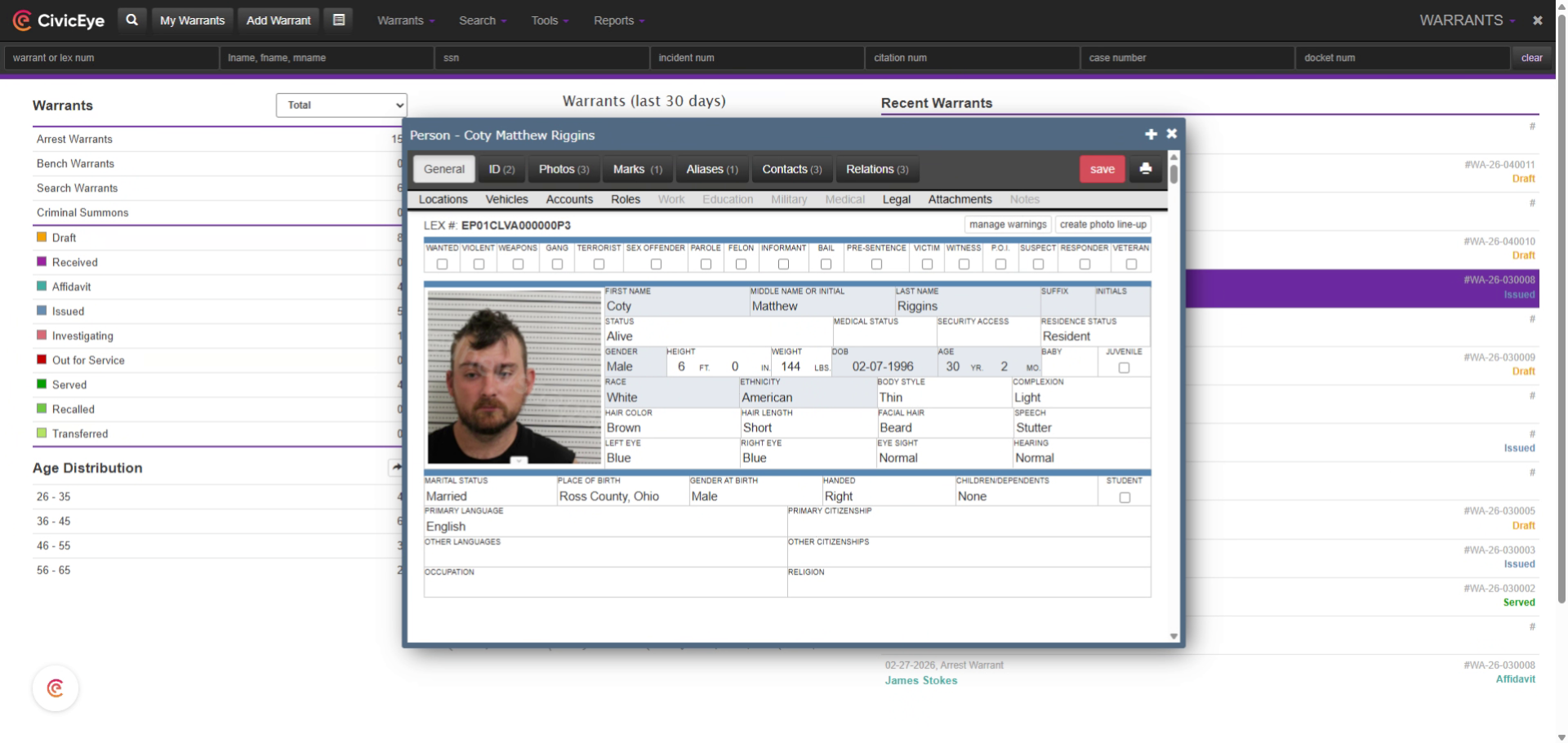
### 2. Access Warning Management
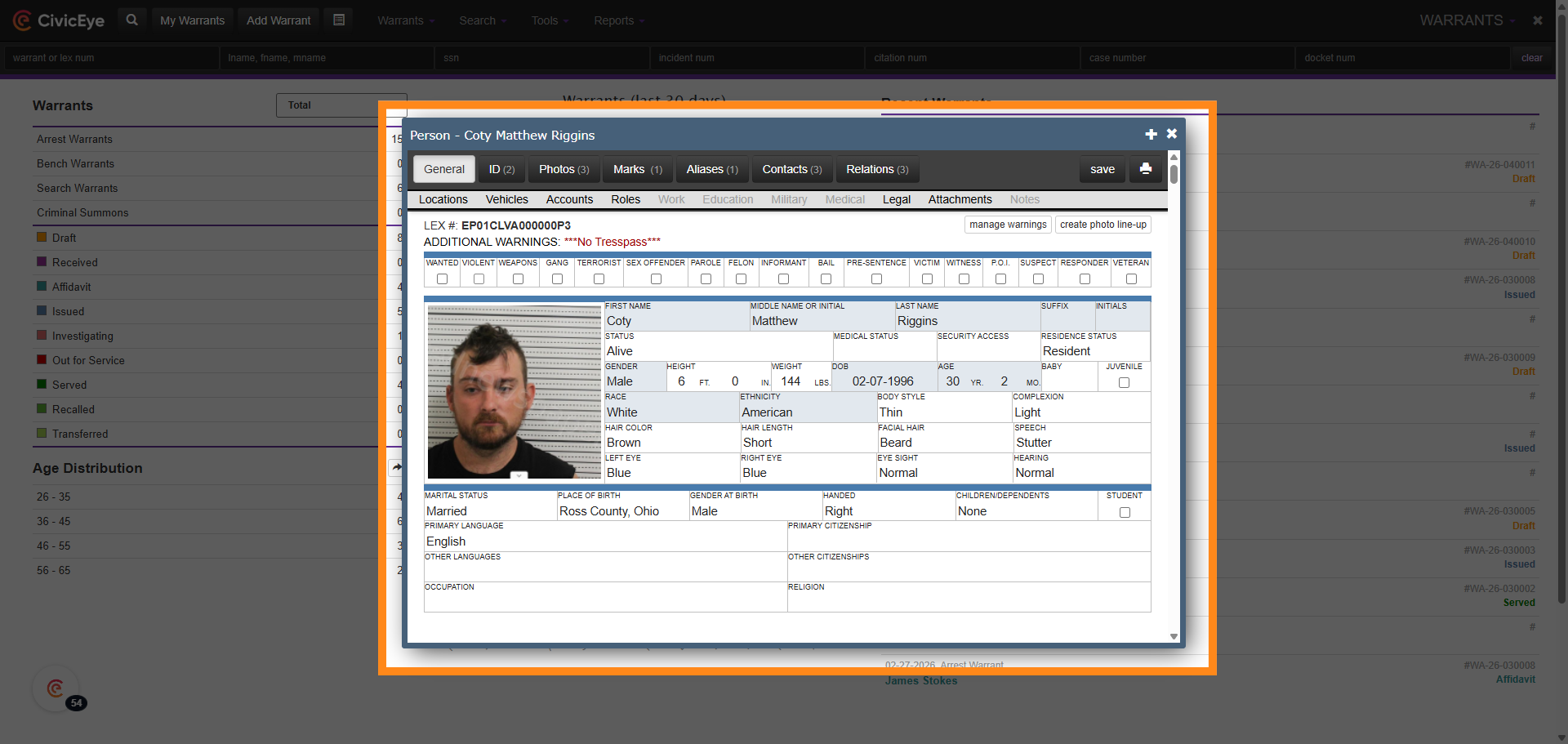
To apply a new warning on a person, first locate that persons listing in the master persons index. Once that persons information is accessed, select the manage warnings tab.
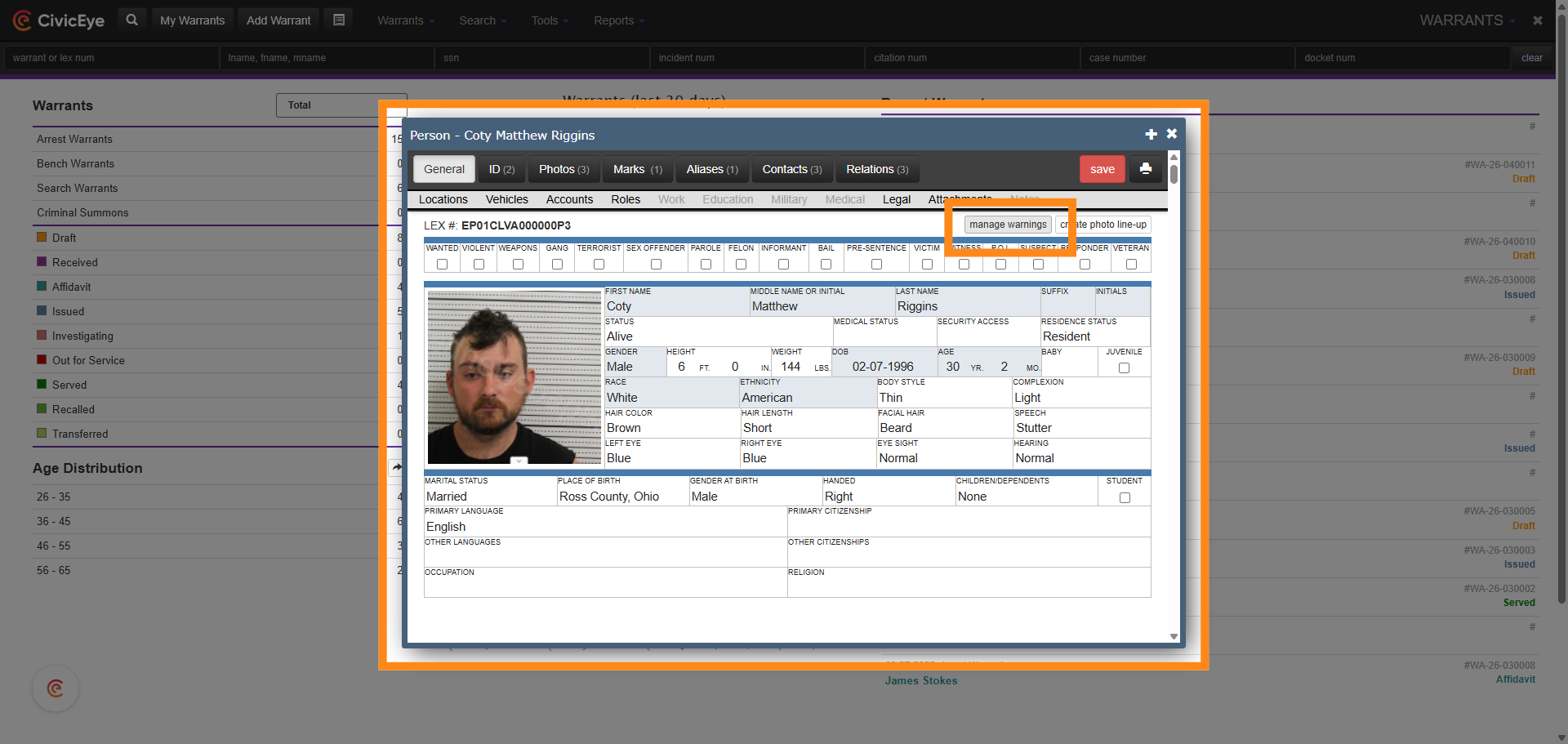
### 3. Manage Warnings
The manage warnings tab opens that persons warning management page, which includes any active warnings, and that persons warning history.
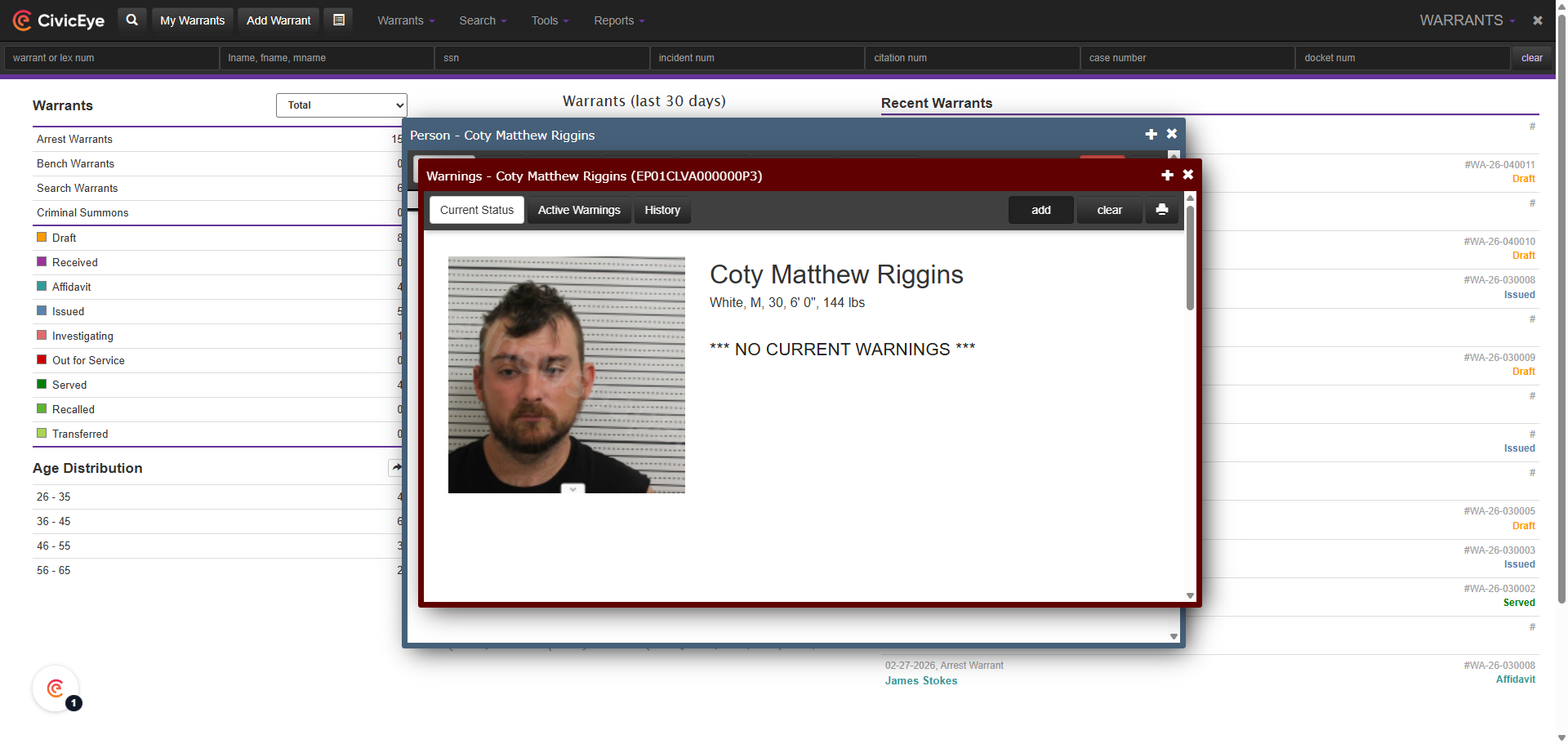
### 4. Add Warning
To add a warning to a person, first select the add tab in the upper right corner of the page.
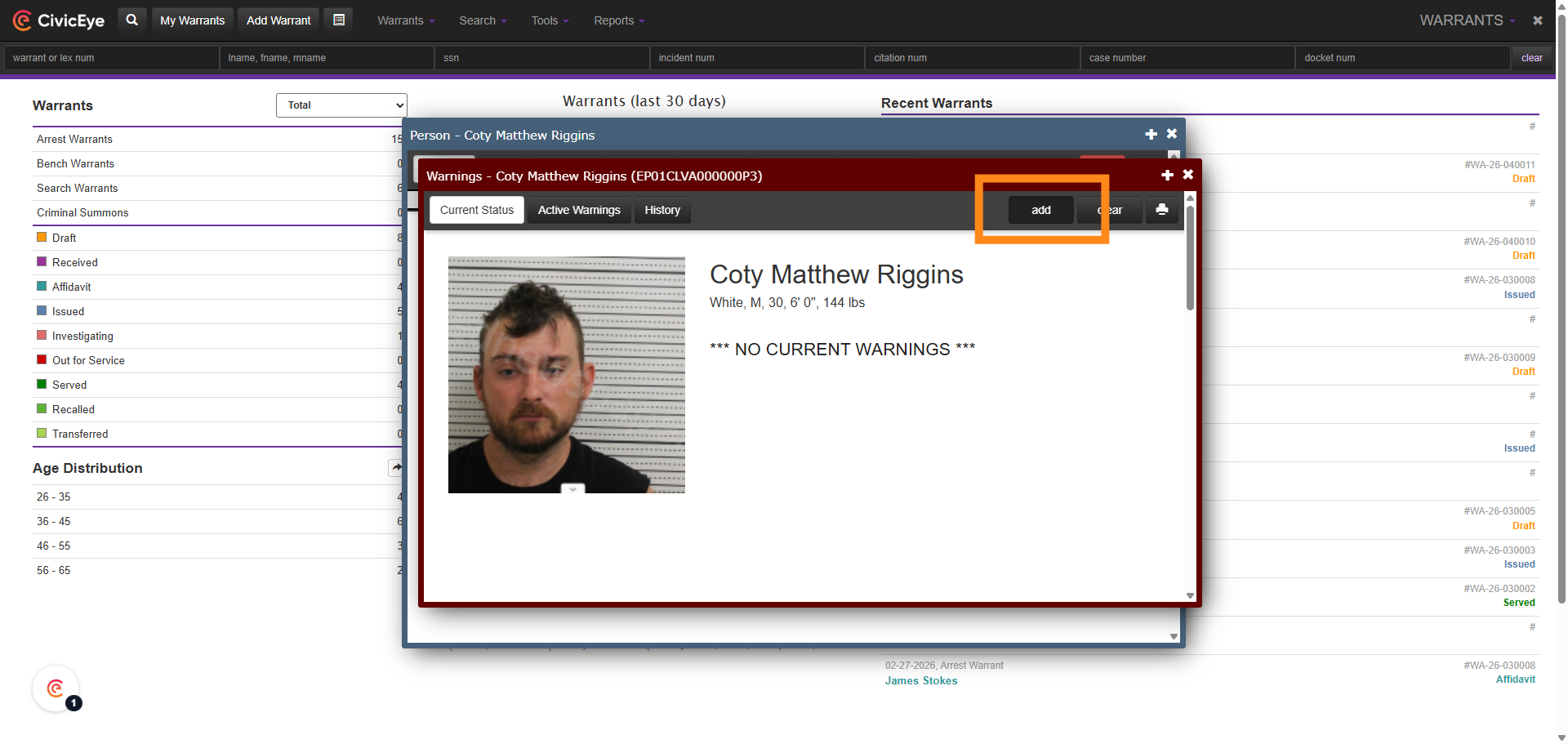
### 5. Open Warning Page
Selecting the add tab opens the add warning section. This is the page where the warning is added to the persons profile.
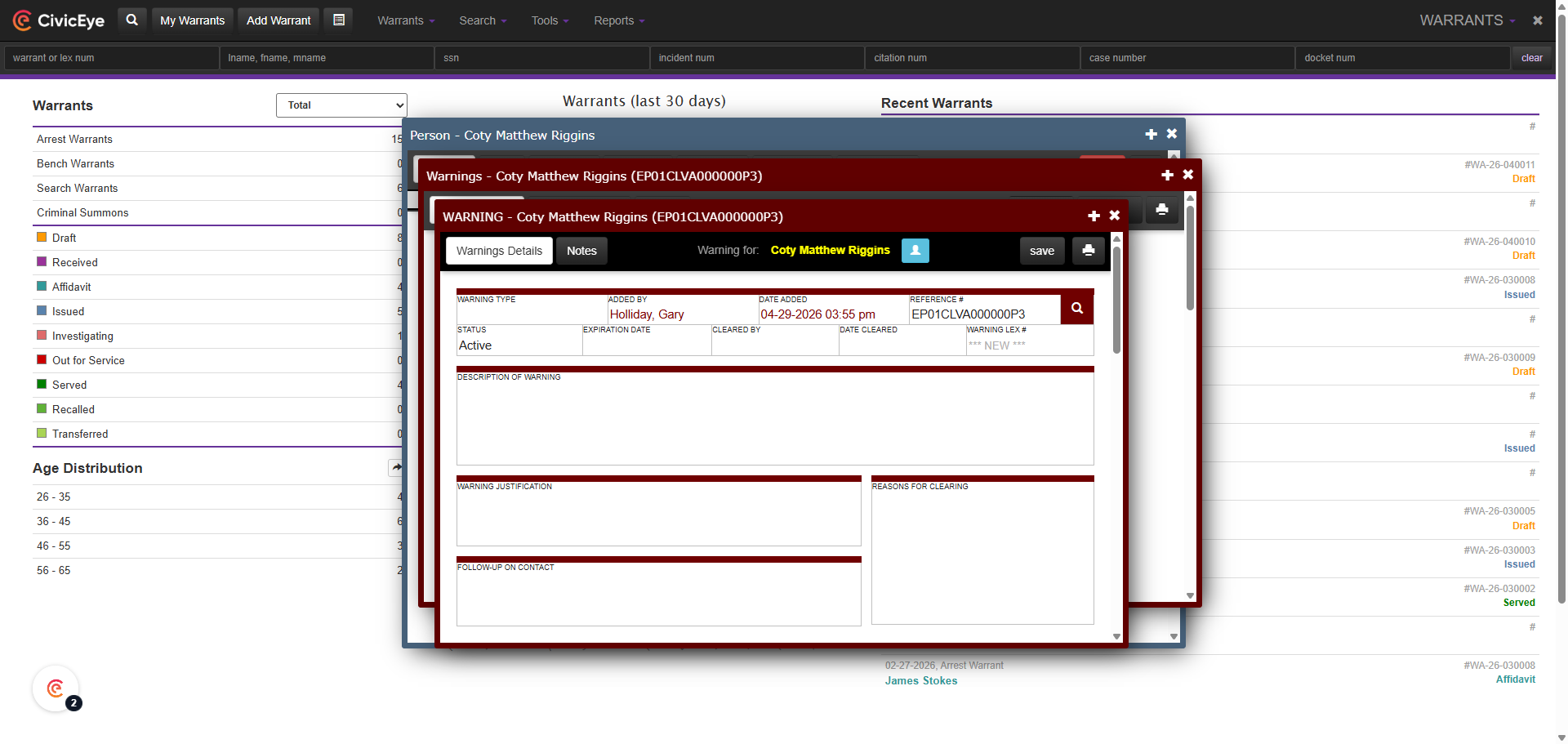
### 6. Select Warning Type
To add a warning to a profile, first select the Warning Type box on the warning page. This provides a drop down of warning types to select from.
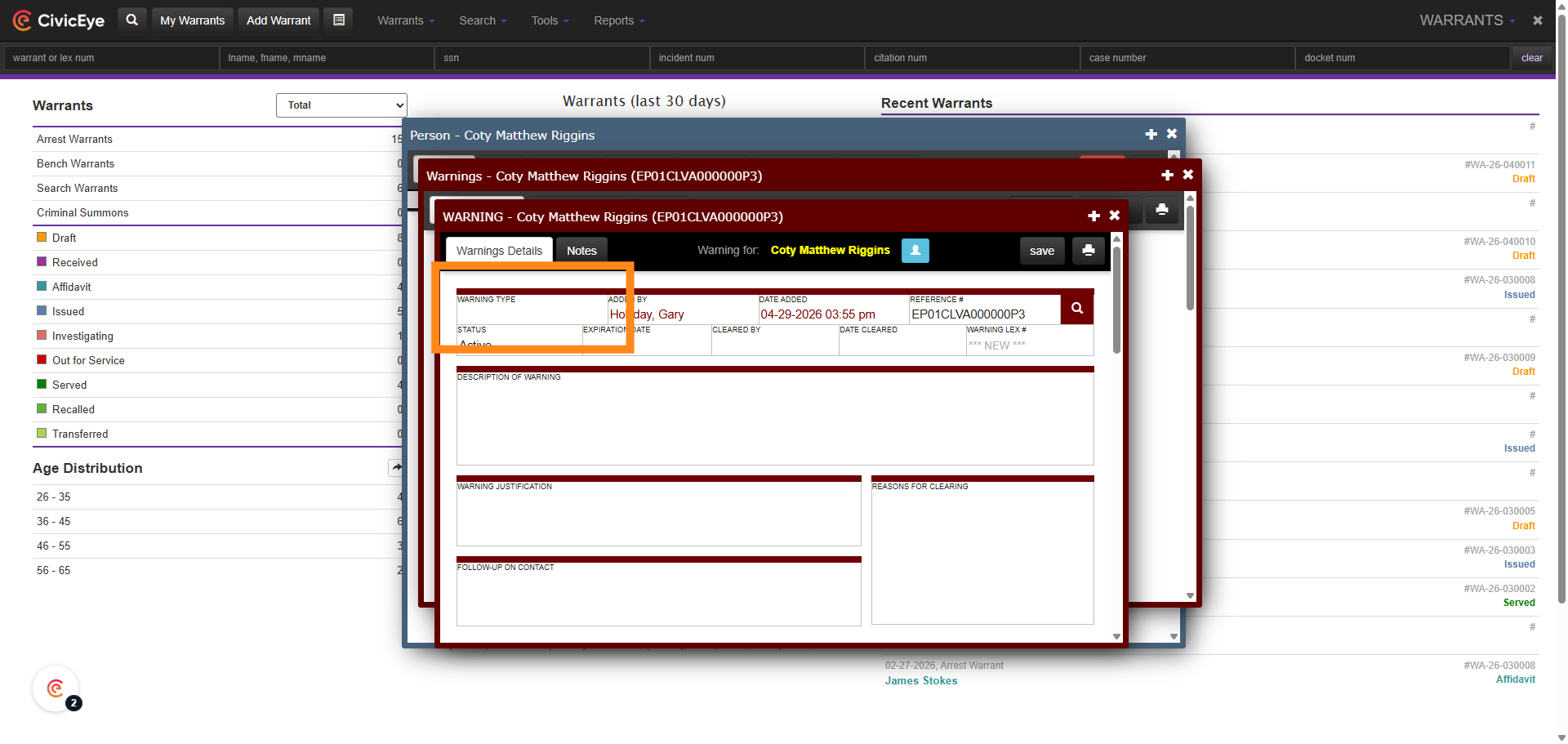
### 7. Select Warning Type
Using the drop down list, select the applicable warning type for this person.
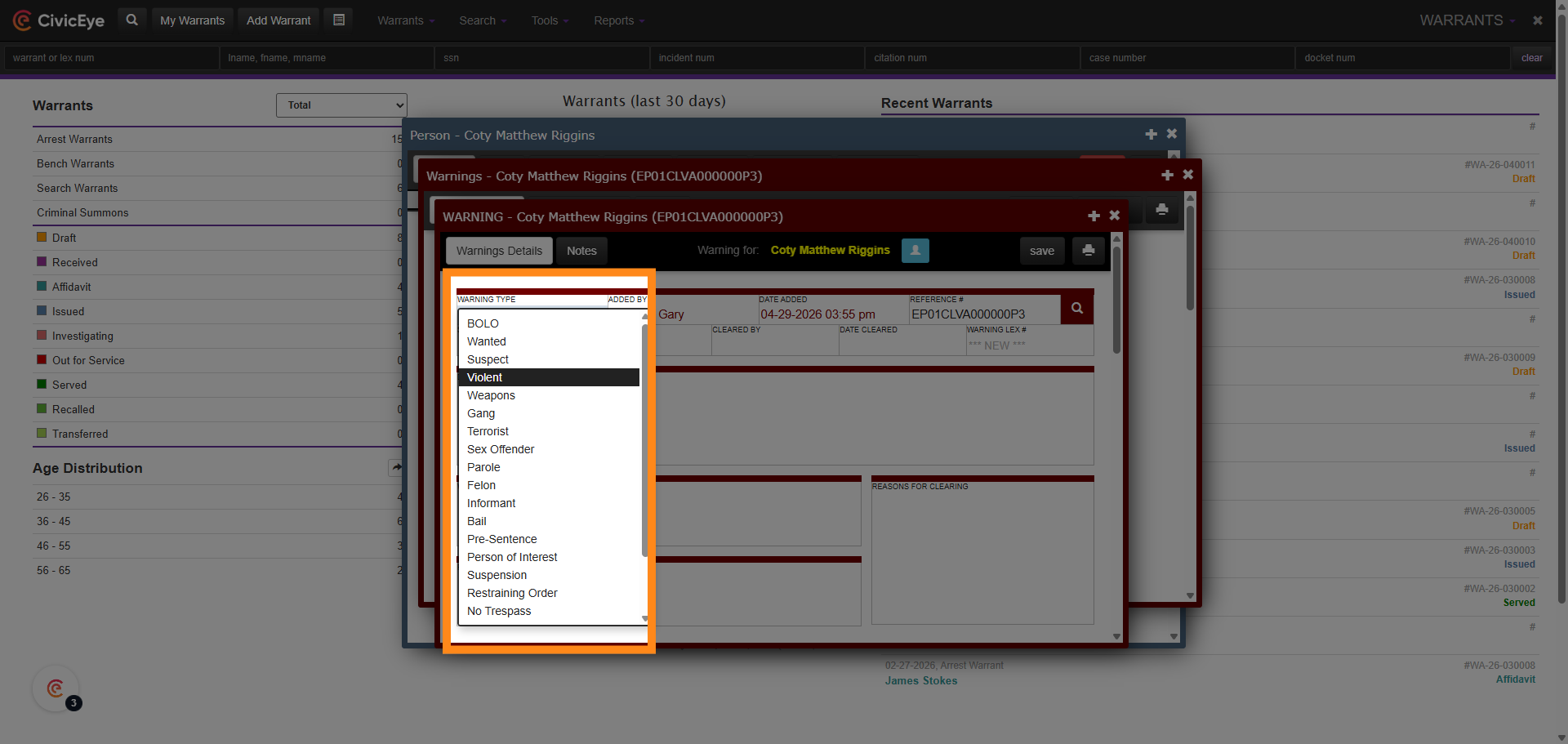
### 8. Open Warning Details Field
Once the warning type has been selected from the drop down, document the reasons for the warning, and any other relevant information related to the warning.
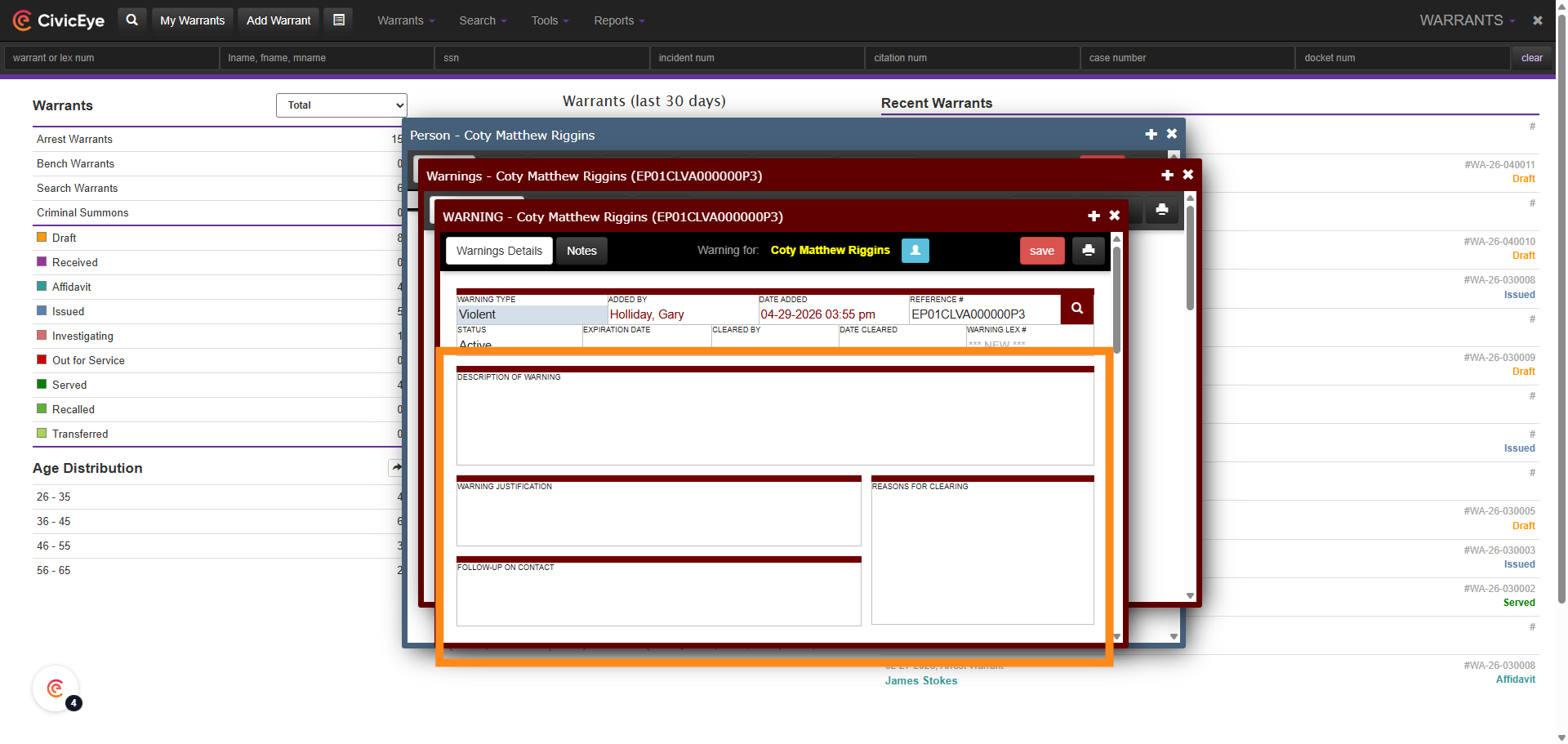
### 9. Warning Applied to Person
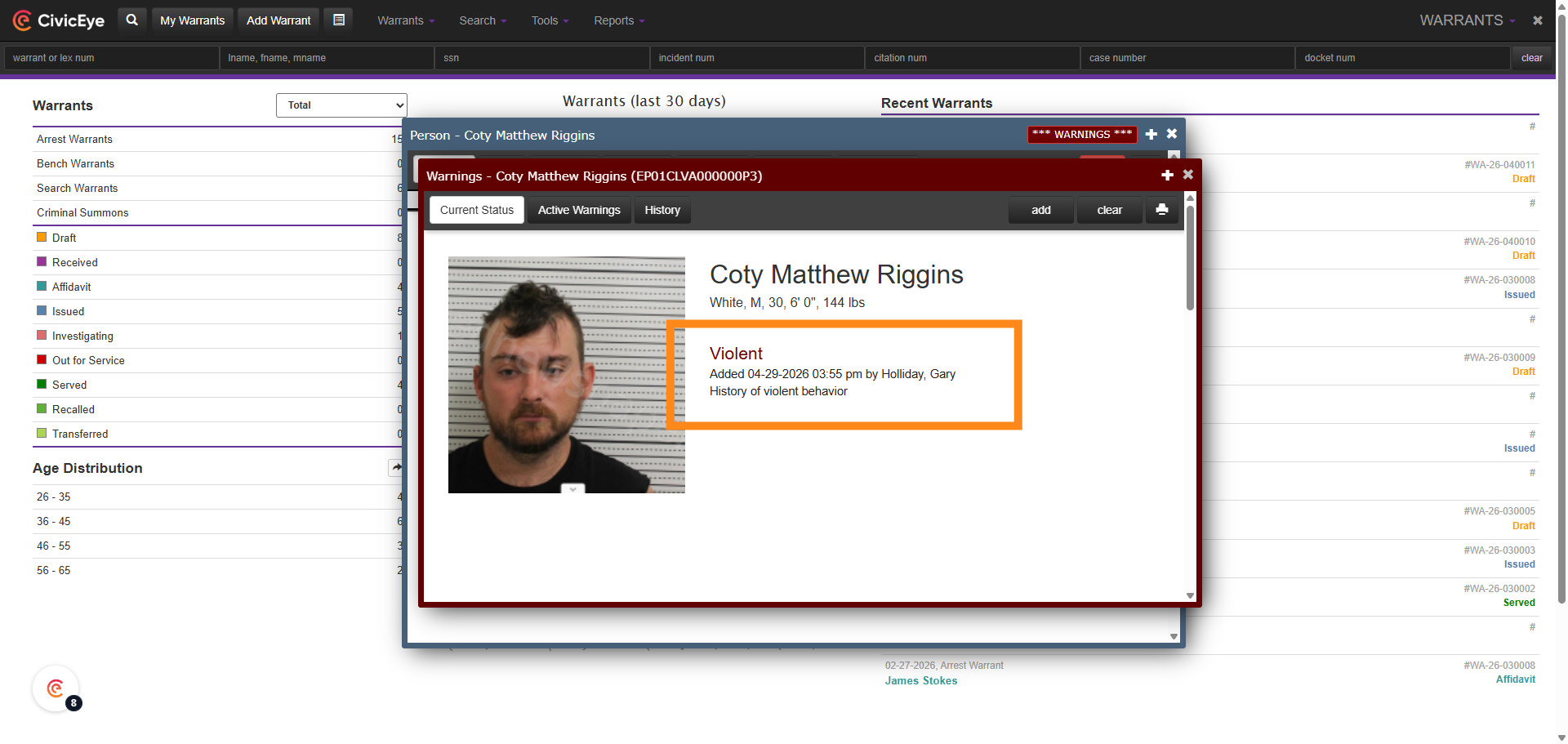
The warning has now been added to both the persons master index, and to the warnings data base.
### 10. Warning Banner
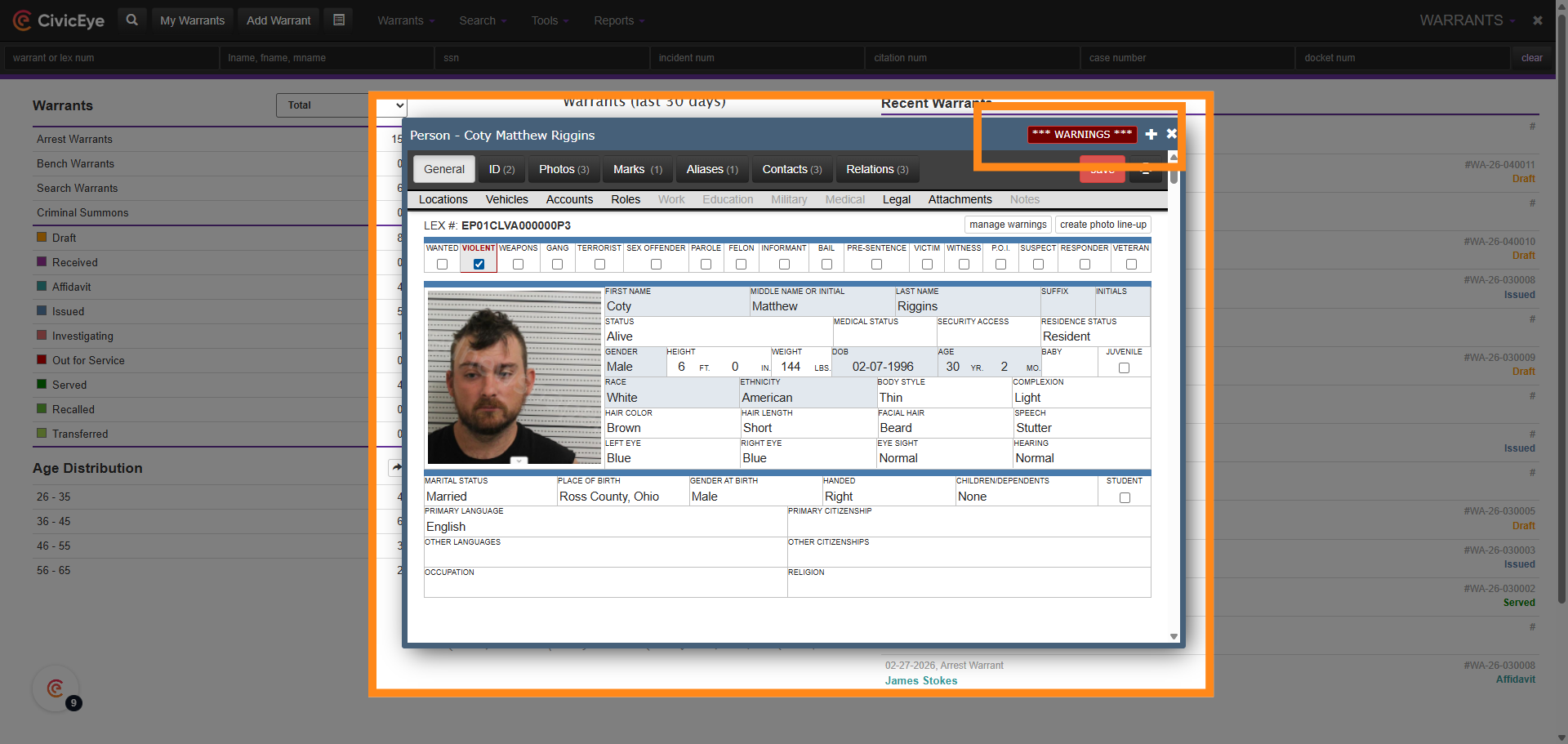
Adding a warning of a violent nature also adds a Warning banner to the top of the persons master index listing. Additionally, when the person is listed in a search, the name will appear in red.
### 11. Remove a Warning
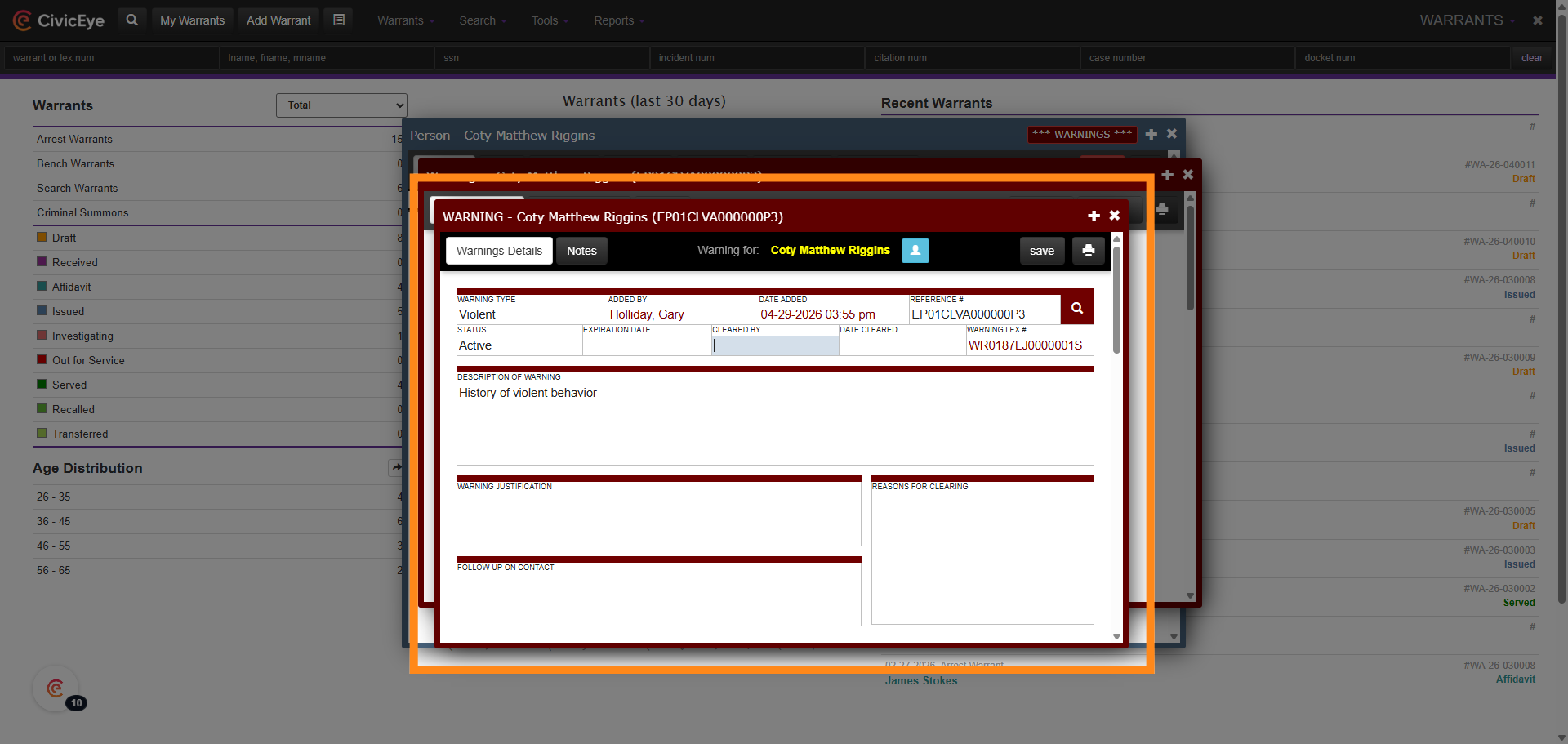
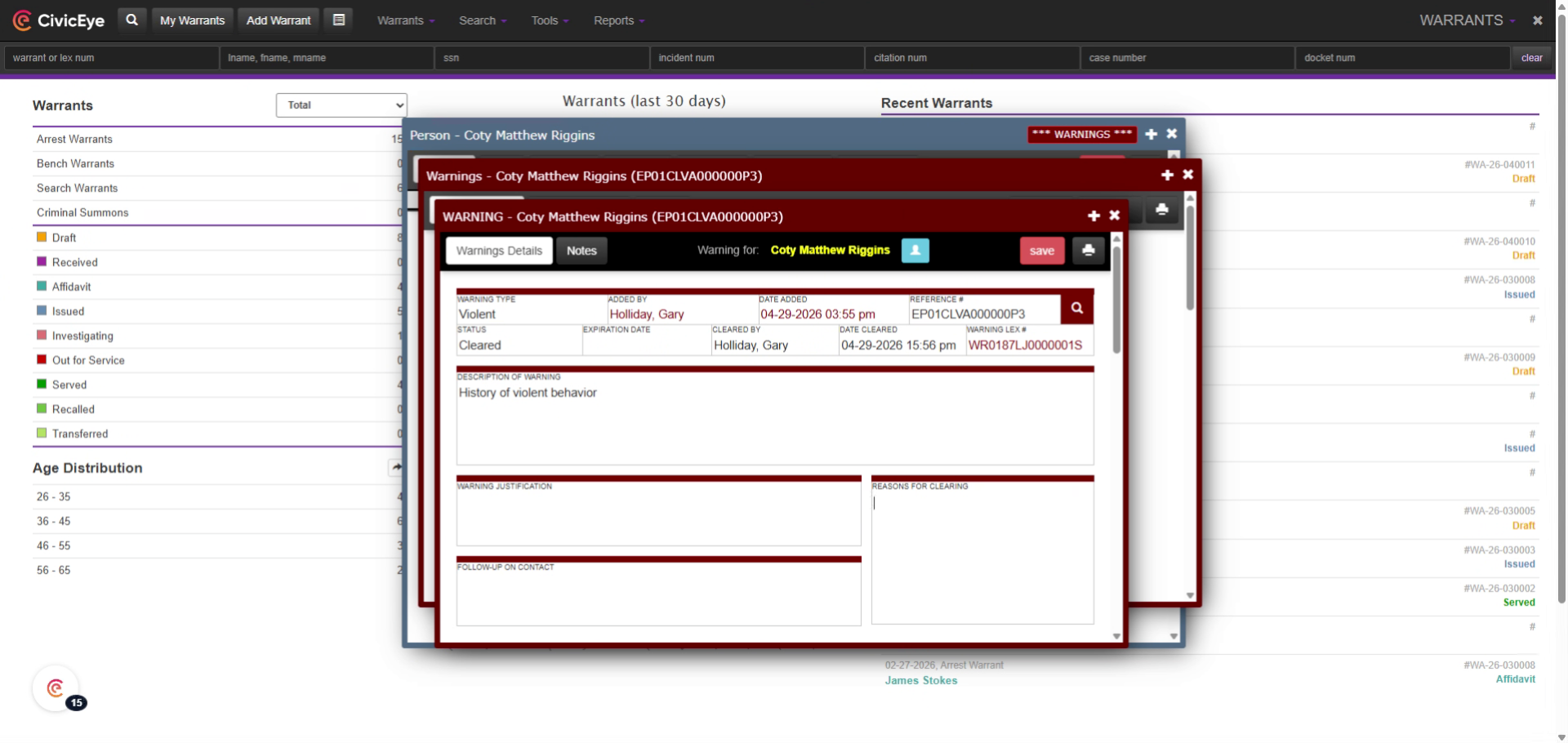
To remove a warning from a person master index and the warning data base, first, access the warning. In the cleared by box, select the person clearing the warning, and add a date and time. CivicRMS also requires that a justification be added for clearing the warning in the area labeled reason for clearing in the bottom right hand portion of the page.
### 12. Adding Warnings
CivicRMS provides users the ability to add a variety of warnings to persons for officer safety and situational awareness. As in all cases, if the warning is associated to an active warrant, confirm that warrant is still active with the appropriate office prior to service
### 13. Warnings
This training video has provided the user the necessary steps to add and remove warnings from a persons master index file and the warning data base.
For questions regarding warnings, or any other CivicRMS questions, please call CivicEye support at 877-778-5277 or email us at support@civiceye.com.
[Powered by **guidde**](https://www.guidde.com)
- [How to Request New Training Content](https://knowledgebase.civiceye.com/knowledge-base/how-to-request-new-training-content?hsLang=en)
- [CivicCase](https://knowledgebase.civiceye.com/knowledge-base/civiccase?hsLang=en#main-content)
- [Prosecutor and Admin Portals](https://knowledgebase.civiceye.com/knowledge-base/civiccase?hsLang=en#prosecutor-and-admin-portals)
- [CivicDocs](https://knowledgebase.civiceye.com/knowledge-base/civicdocs?hsLang=en#main-content)
- [Evidence Management](https://knowledgebase.civiceye.com/knowledge-base/civicdocs?hsLang=en#evidence-management)
- [User Access](https://knowledgebase.civiceye.com/knowledge-base/civicdocs?hsLang=en#user-access)
- [Defense Portal](https://knowledgebase.civiceye.com/knowledge-base/civicdocs?hsLang=en#defense-portal)
- [Law Enforcement Portal](https://knowledgebase.civiceye.com/knowledge-base/civicdocs?hsLang=en#law-enforcement-portal)
- [CivicRMS](https://knowledgebase.civiceye.com/knowledge-base/civicrms?hsLang=en#main-content)
- [Master Index](https://knowledgebase.civiceye.com/knowledge-base/civicrms?hsLang=en#master-index)
- [Incident Reports](https://knowledgebase.civiceye.com/knowledge-base/civicrms?hsLang=en#incident-reports)
- [NIBRS](https://knowledgebase.civiceye.com/knowledge-base/civicrms?hsLang=en#nibrs)
- [Property](https://knowledgebase.civiceye.com/knowledge-base/civicrms?hsLang=en#property)
- [Persons](https://knowledgebase.civiceye.com/knowledge-base/civicrms?hsLang=en#persons)
- [Arrest and Warrants](https://knowledgebase.civiceye.com/knowledge-base/civicrms?hsLang=en#arrest-and-warrants)
- [General](https://knowledgebase.civiceye.com/knowledge-base/civicrms?hsLang=en#general)
- [FAQs](https://knowledgebase.civiceye.com/knowledge-base/faqs?hsLang=en#main-content)
- [Support](https://knowledgebase.civiceye.com/knowledge-base/faqs?hsLang=en#support)
- [Training](https://knowledgebase.civiceye.com/knowledge-base/faqs?hsLang=en#training)
- [Support](https://knowledgebase.civiceye.com/knowledge-base/support?hsLang=en#main-content)
- [User Access / Permissions](https://knowledgebase.civiceye.com/knowledge-base/support?hsLang=en#user-access-permissions)
- [Getting started](https://knowledgebase.civiceye.com/knowledge-base/getting-started?hsLang=en#main-content)
- [CivicEye Personnel Module](https://knowledgebase.civiceye.com/knowledge-base/getting-started?hsLang=en#civiceye-personnel-module)
[.png?width=250&height=99&name=CivicEye_Identity_Secondary%20(4).png)](https://knowledgebase.civiceye.com/?hsLang=en)
The Platform for Public Safety
[mailto:help@civiceye.com](mailto:help@civiceye.com)
Copyright © 2025, CivicEye