---
title: Add Parties and Master Name Index in CivicRMS
description: Add Parties and Master Name Index in CivicRMS
---
[Skip to content](https://knowledgebase.civiceye.com/knowledge-base/add-parties-and-master-name-index-in-civicrms#main-content)
English
Show submenu for translations
[Customer Portal](https://portal.civiceye.com/tickets-view?hsLang=en)
.png?width=250&height=99&name=CivicEye_Identity_Secondary%20(4).png)
Open main navigation
Close main navigation
- English
Show submenu for translations
- [Customer Portal](https://portal.civiceye.com/tickets-view)
- [Contact us](https://www.civiceye.com/support/)
[Contact us](https://www.civiceye.com/support/)
How can we help you?
- There are no suggestions because the search field is empty.
1. [CivicEye Knowledge Base](https://knowledgebase.civiceye.com/knowledge-base?hsLang=en)
2. [CivicRMS](https://knowledgebase.civiceye.com/knowledge-base/civicrms?hsLang=en)
3. [Master Index](https://knowledgebase.civiceye.com/knowledge-base/civicrms?hsLang=en#master-index)
August 24, 2026
# Add Parties and Master Name Index in CivicRMS
## This video addresses adding parties using the master indexes in CivicRMS
# [Add Parties and Master Name Index in CivicRMS](https://app.guidde.com/playbooks/5F9Y5qaMmnC45hz8kLjiiR)
This video addresses adding parties using the master indexes in CivicRMS
### Go to [training-rms.civiceye.com](https://training-rms.civiceye.com)
### 1. Process changes in adding parties
CivicEye has made changes in the process used to add persons to reports, citations and field interviews in CivicRMS.
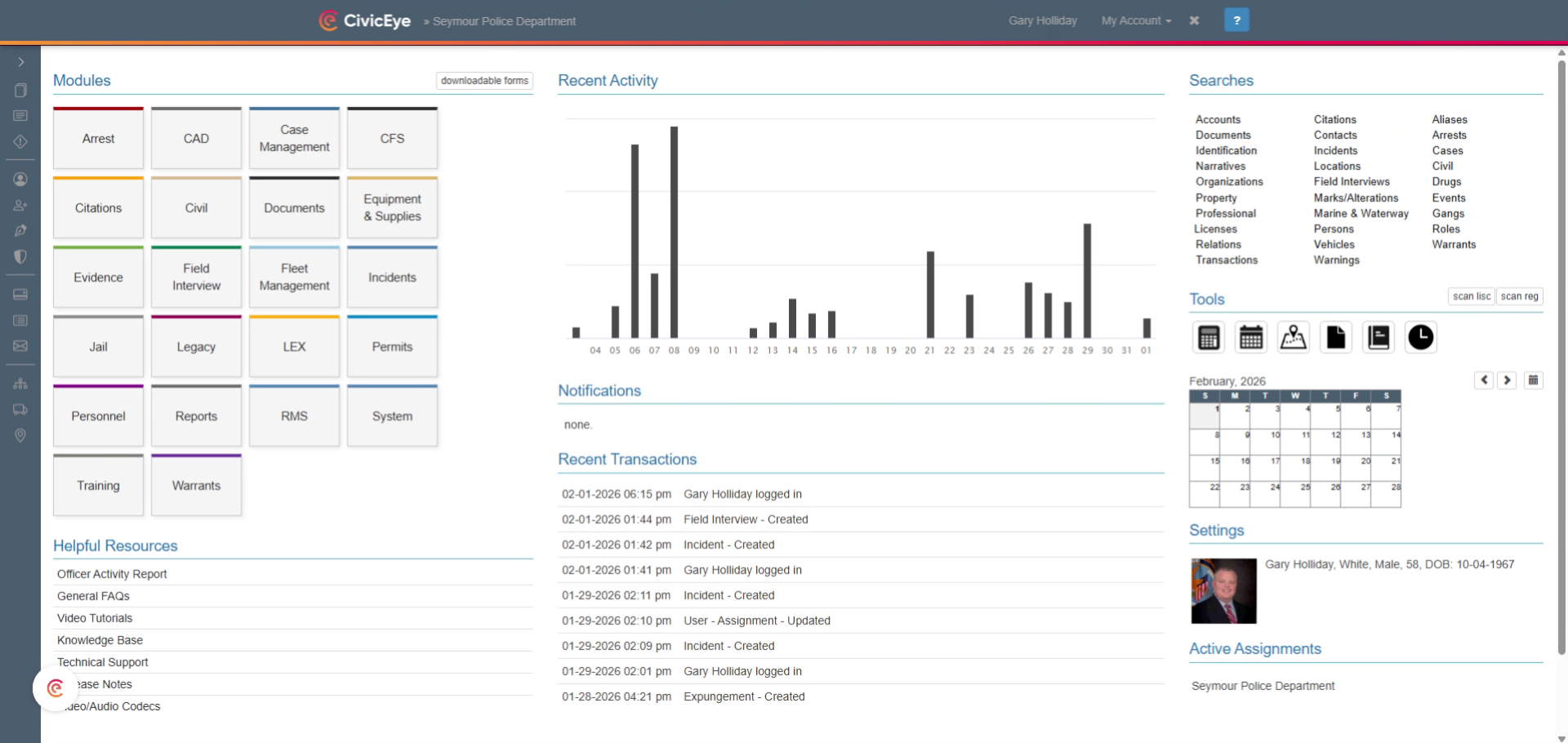
### 2. Open Incident Details
For demonstration purposes, we will open an assault report, and navigate to the Parties Tab.
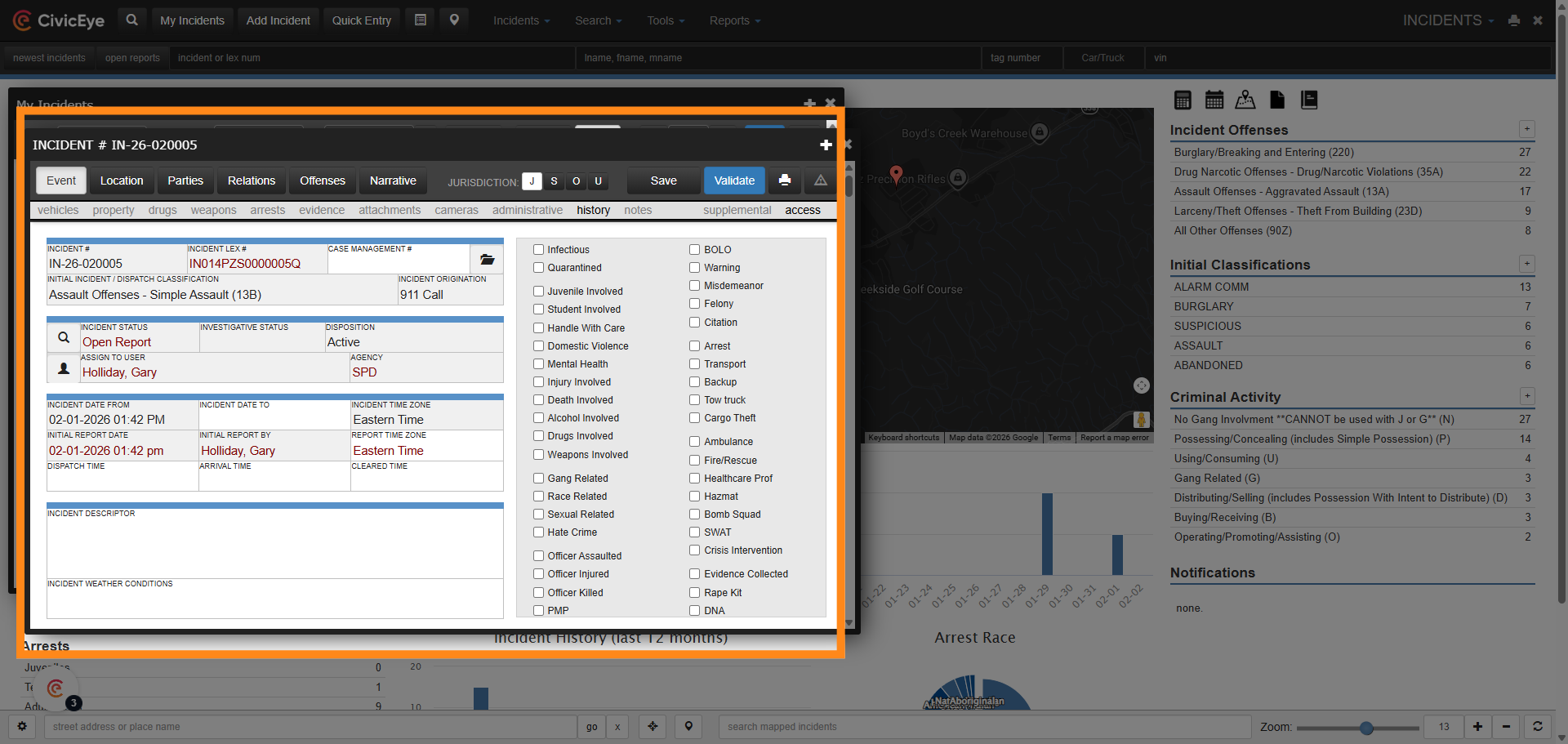
### 3. Add Party to Incident
Select the Parties Tab, then add party. From the Add Party frame, select Individual as party type, and Known Suspect as party involvement.
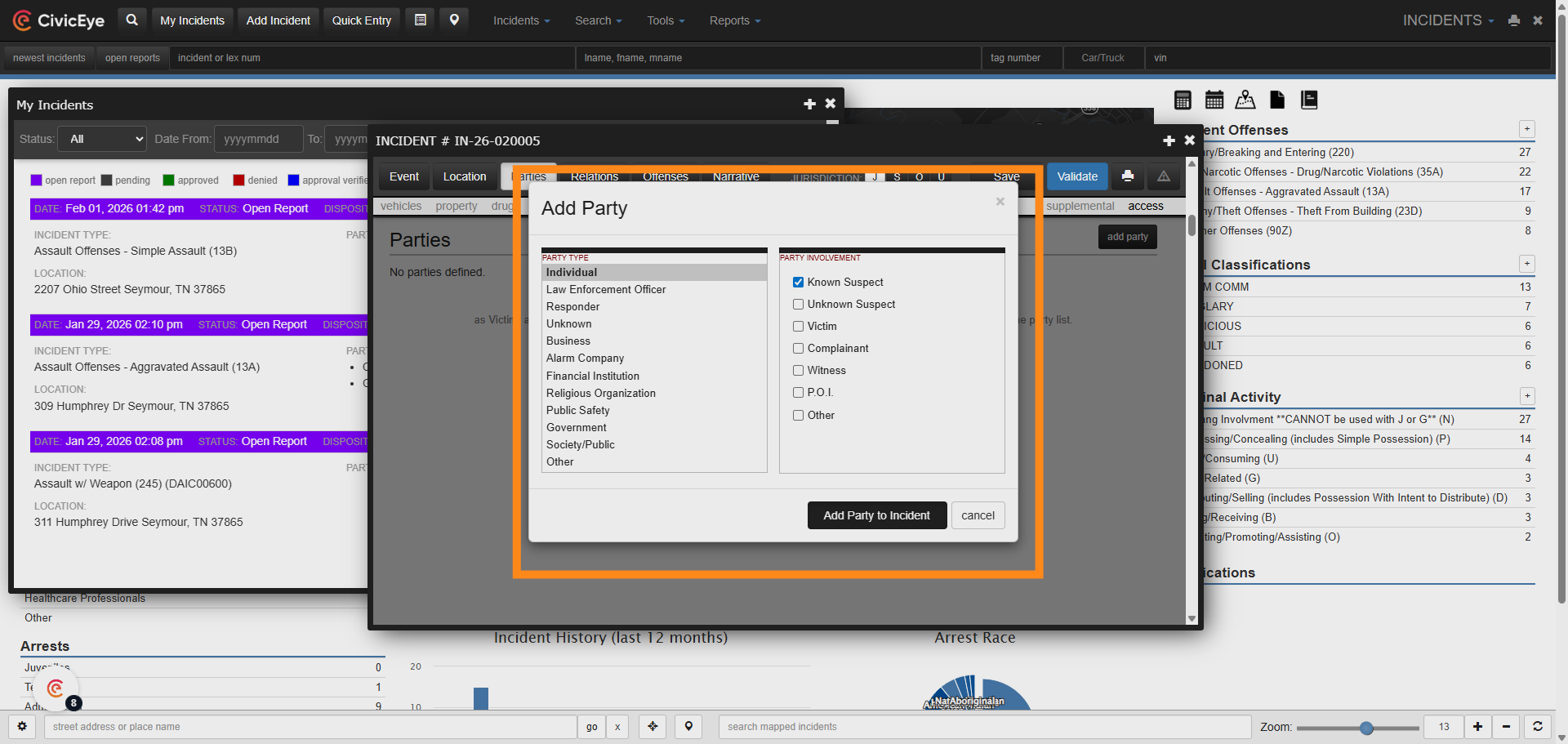
### 4. Process Change
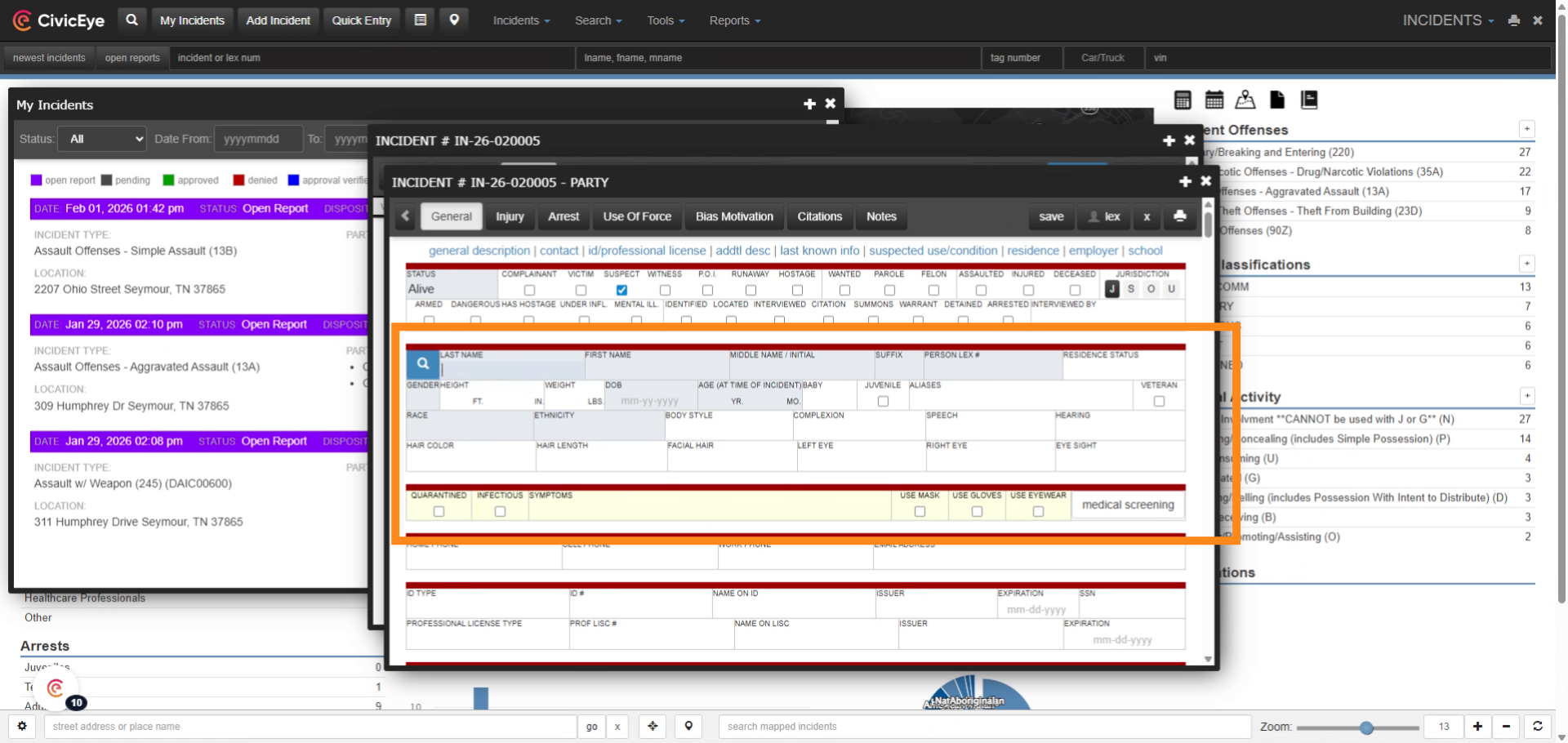
CivicEye has made a change in adding persons to incident reports in the party or person section of the report.
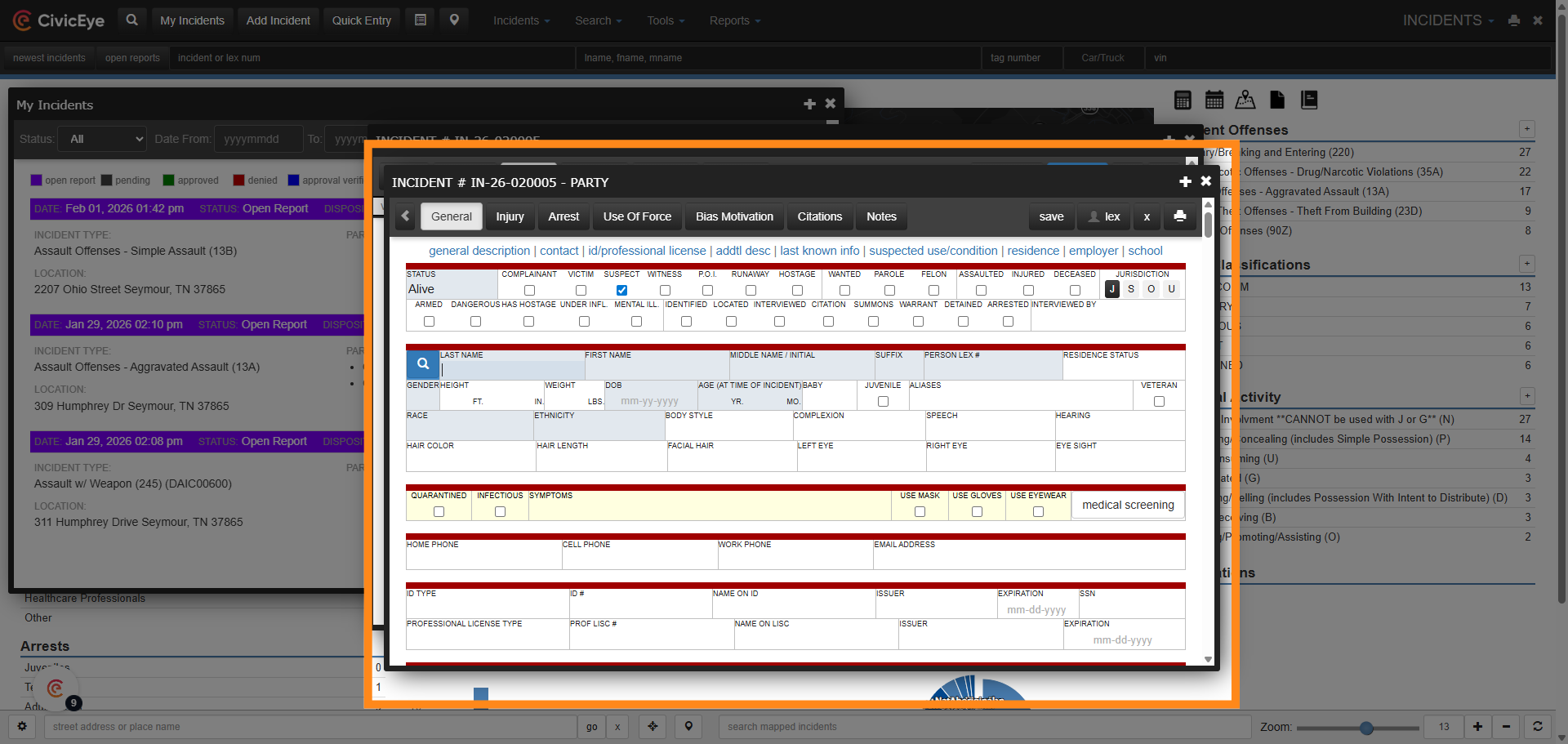
### 5. Old Process
Prior to this change, users could add persons to reports, citations, or field interviews by directly typing information into the person sections of the report.
### 6. Missing LEX Number
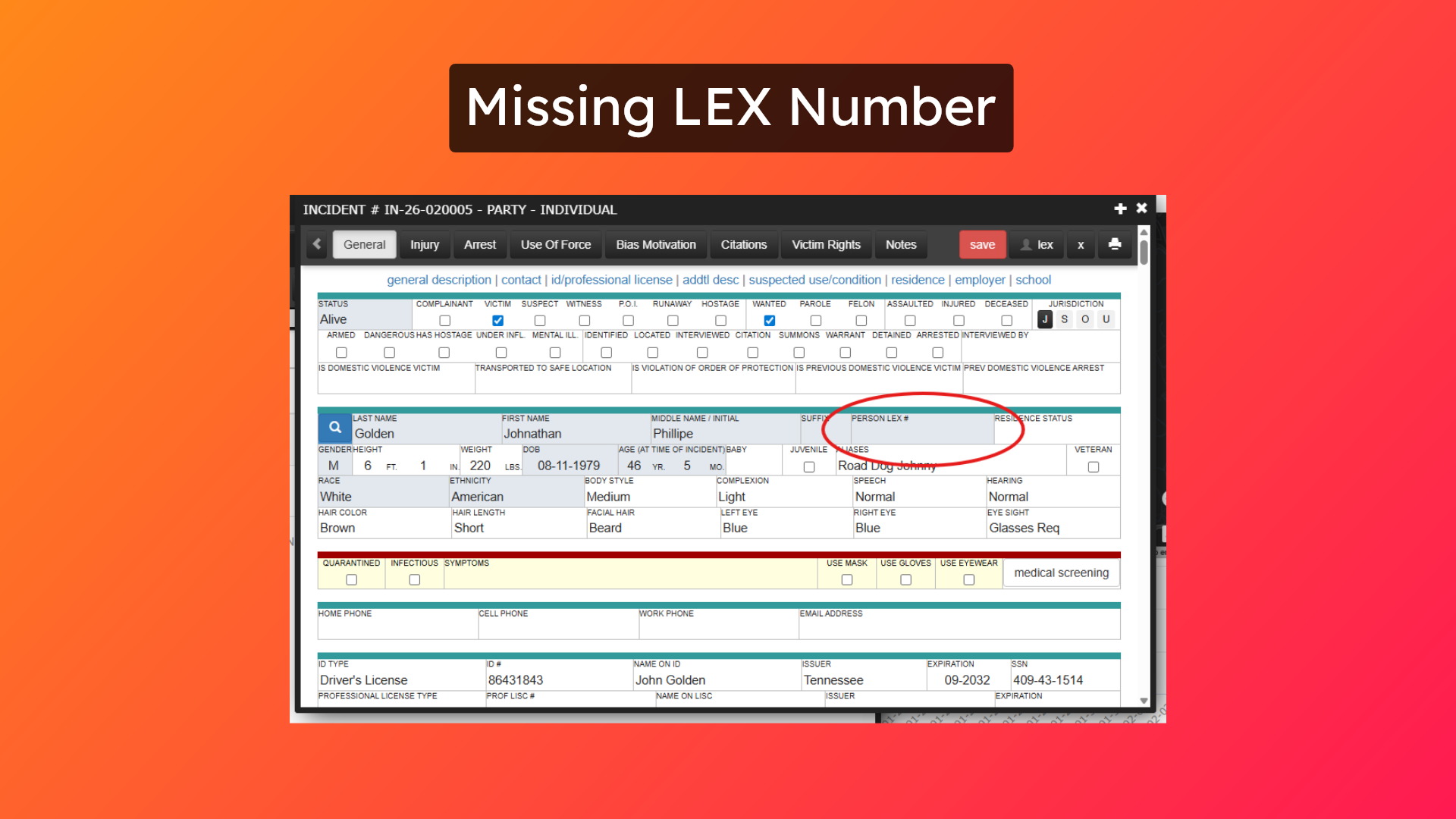
Adding a person directly into a report would cause the LEX number to be left out of the document.
### 7. Report Not Linked to Person
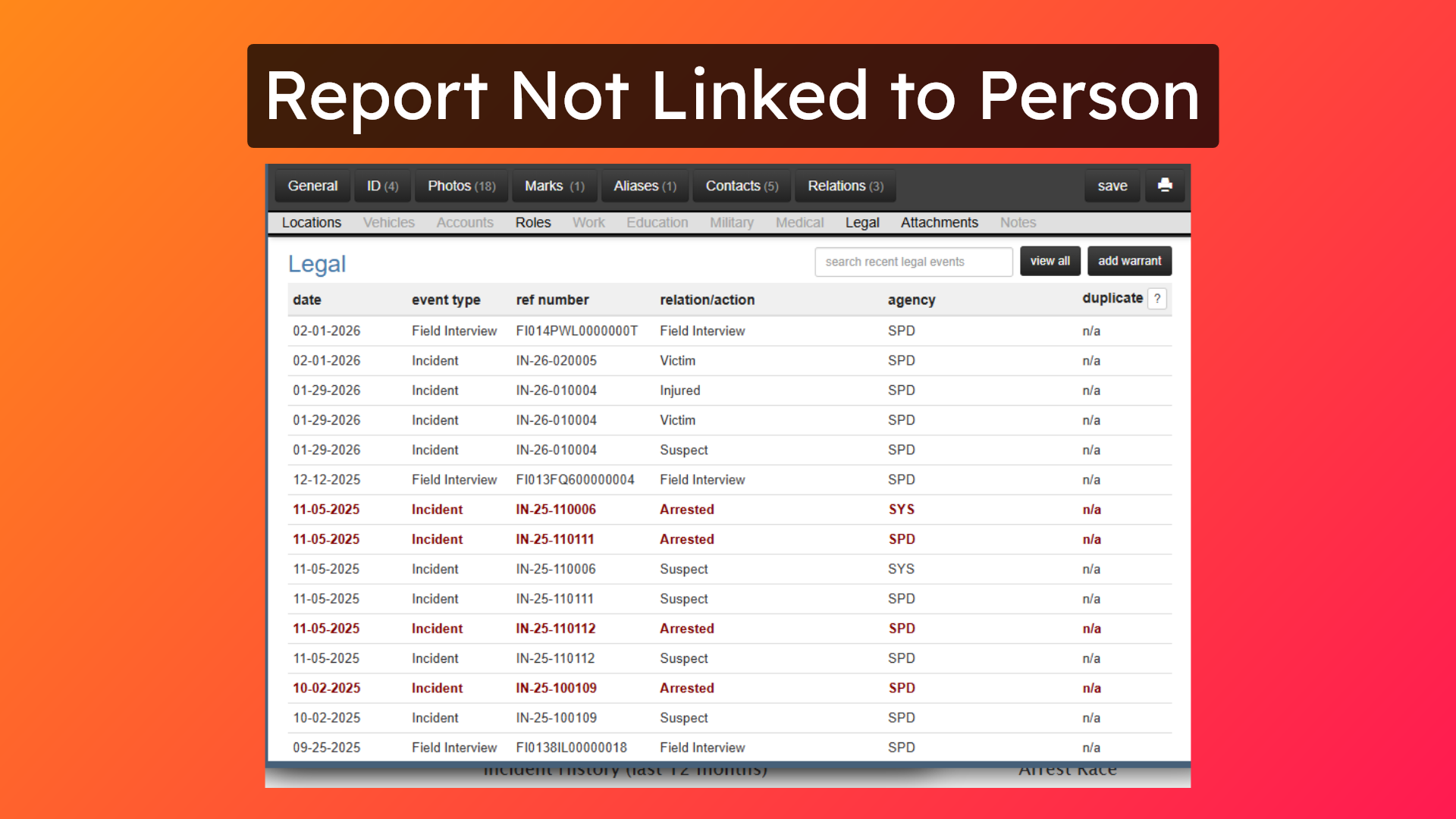
If a persons LEX number is not included on a report or other document, that document cannot be linked to the person, and will not be seen in any search of that persons history.
### 8. New Process
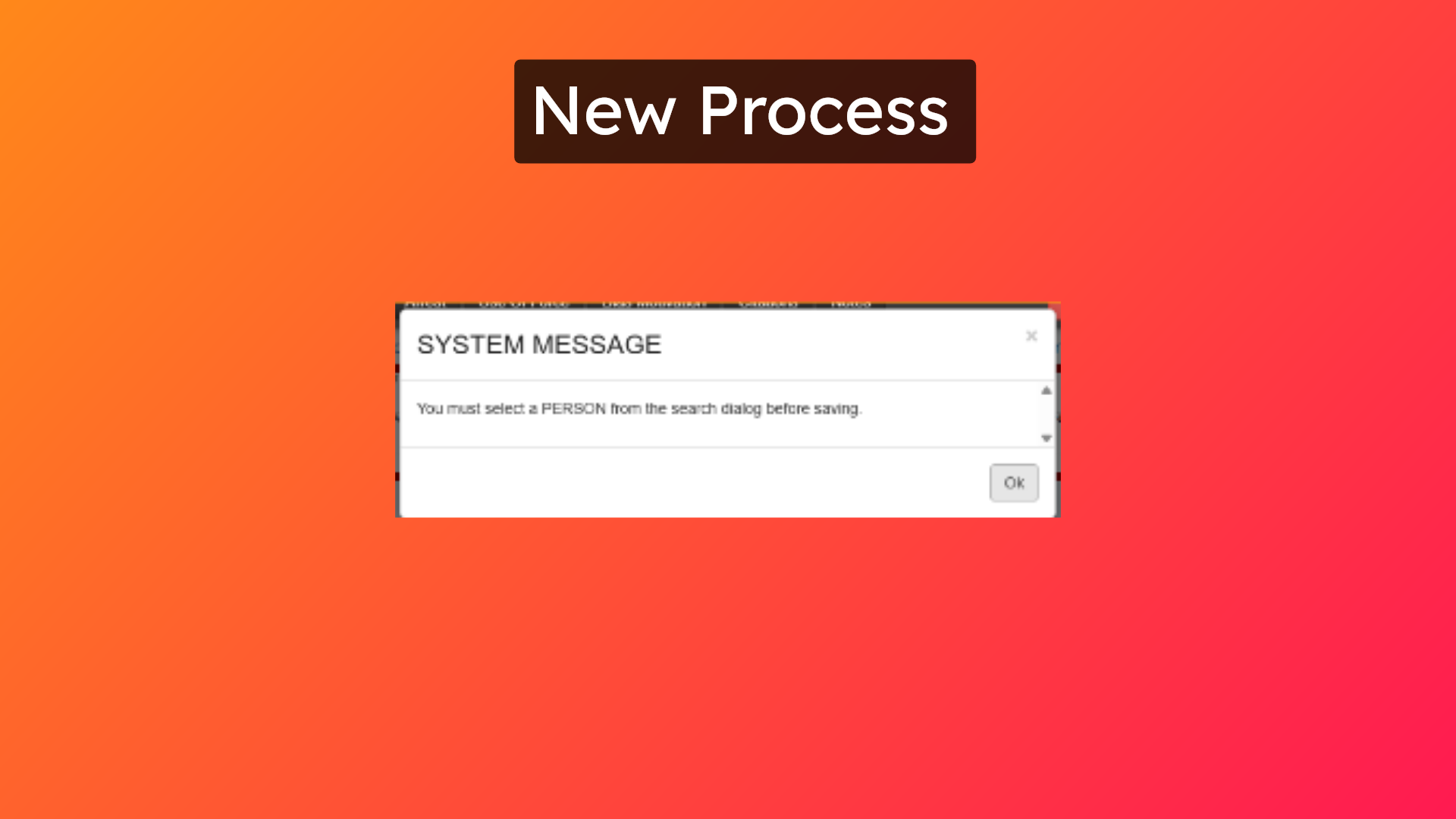
To ensure that all critical information is being linked to persons and to improve data integrity, all person entries must now come from the master name index.
### 9. System Message
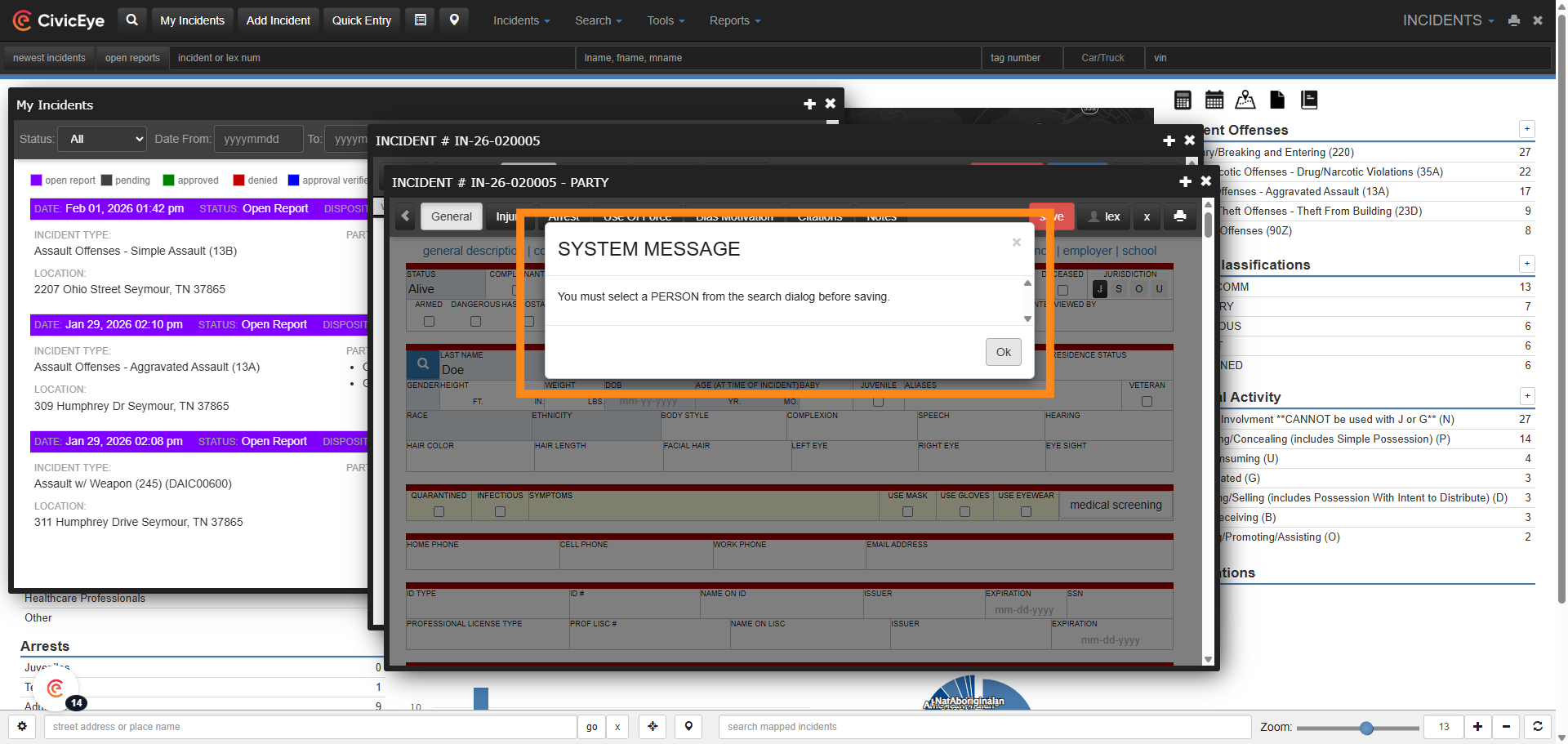
Attempting to save a person that has been typed directly into a report will result in a pop up System Message notifying the user they must search for the person in the master index.
### 10. Person Search
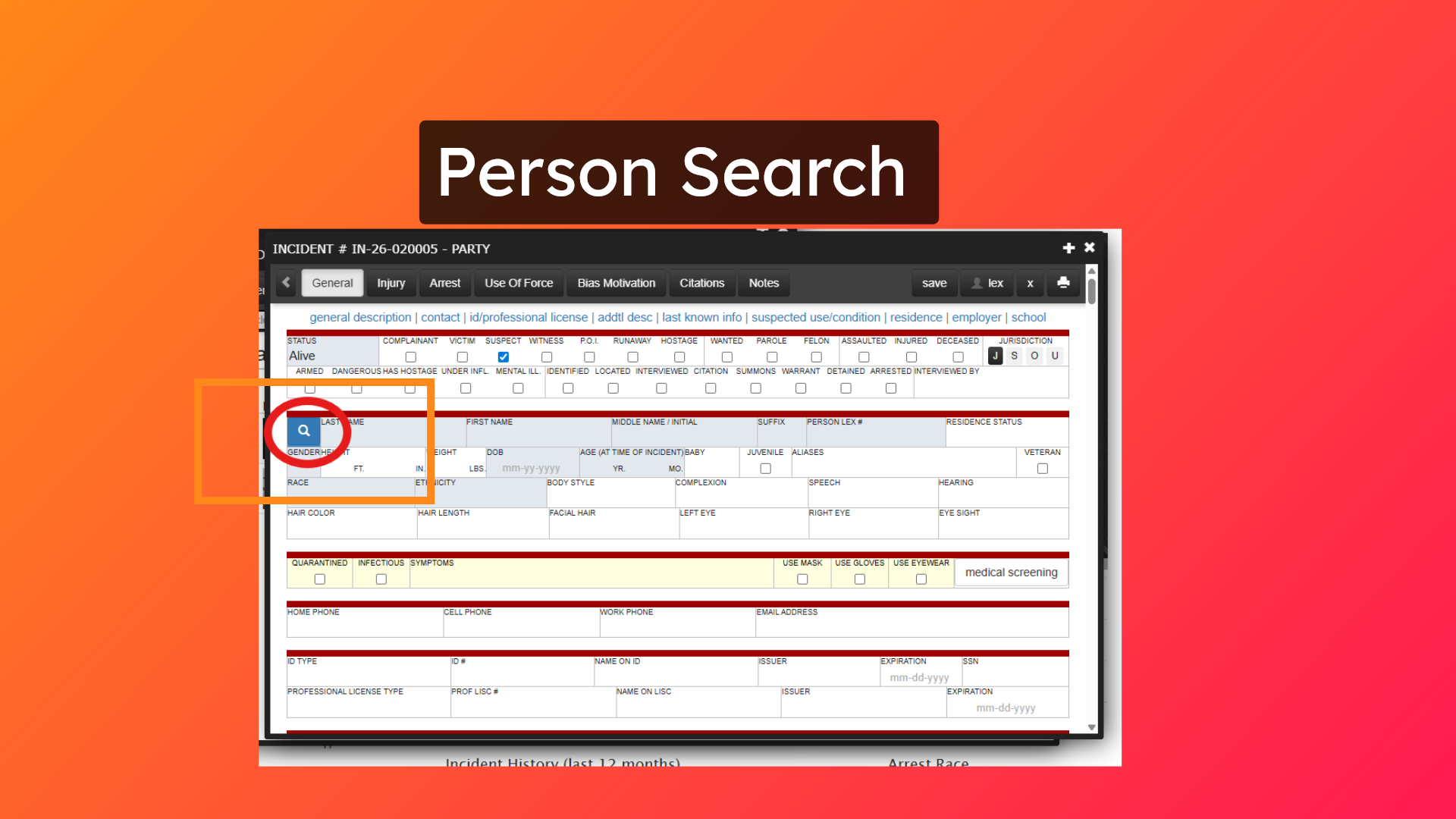
When you click OK you will be brought to the Person Index search and the information, if any, you entered in the previous screen will be populated for you to save you some time.
### 11. Search for Person
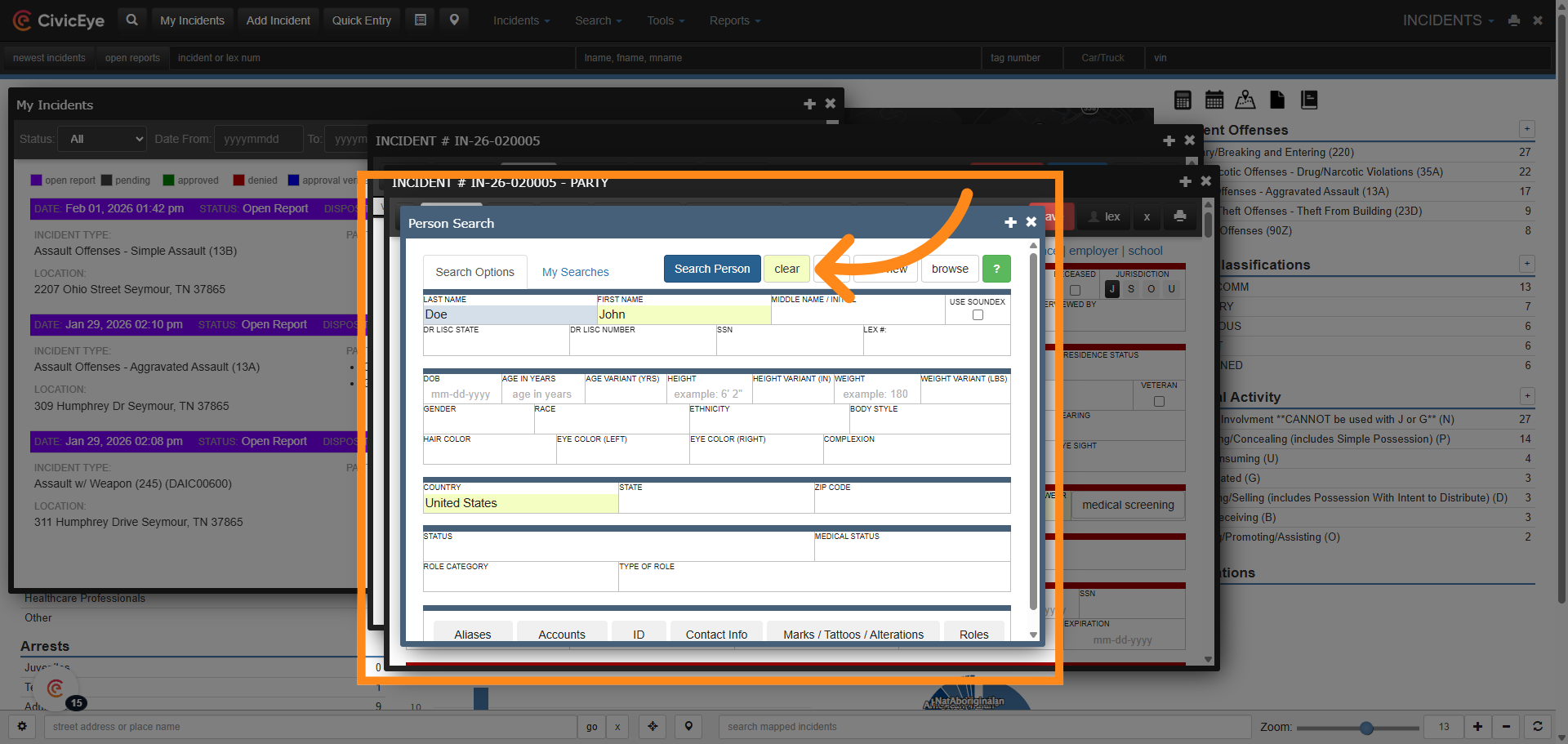
Search for the person in the Master Index.
### 12. Select Person from Results
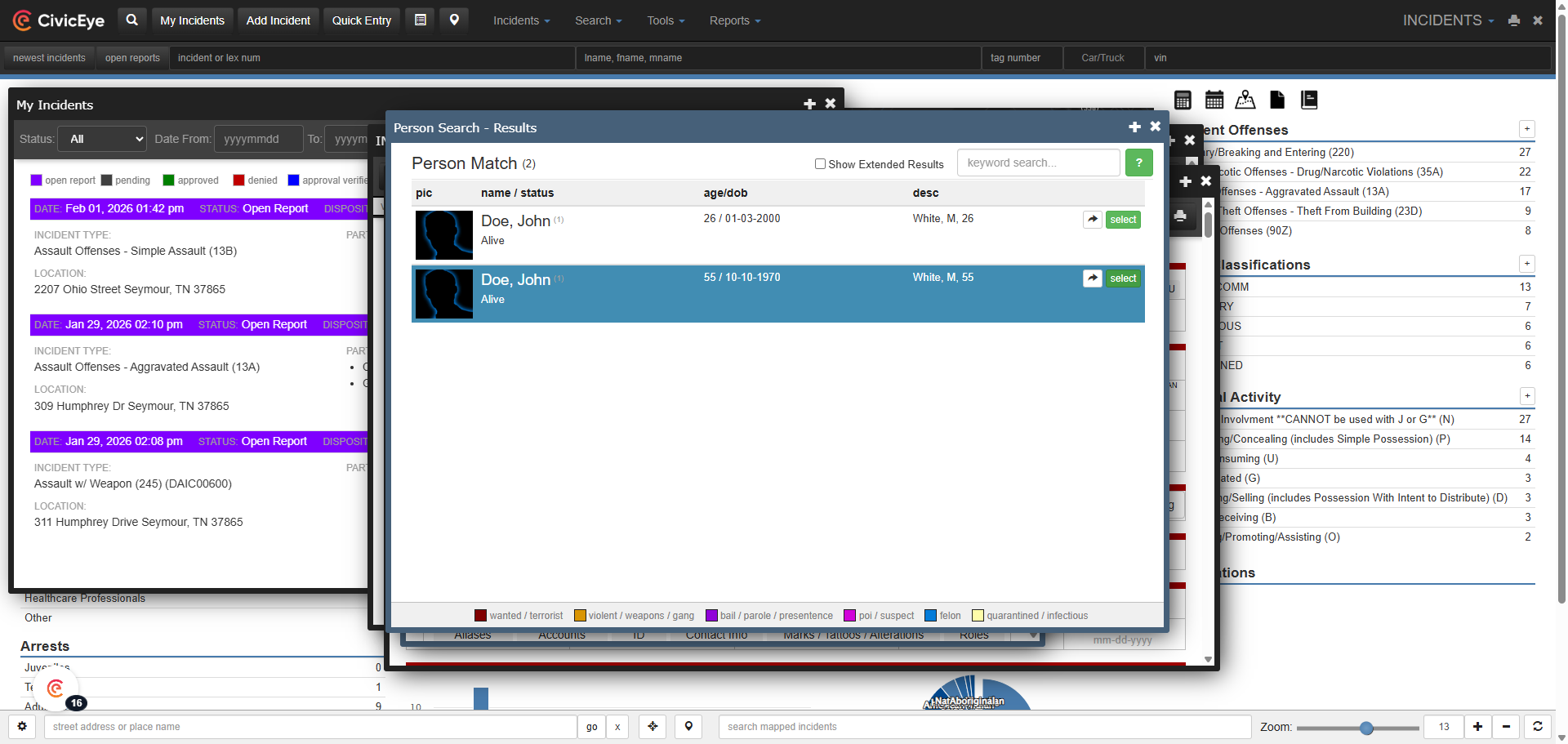
If the person is already listed in the Master Index, review their information, make any necessary changes, and select them. Their information will auto populate into your report.
### 13. New Listing
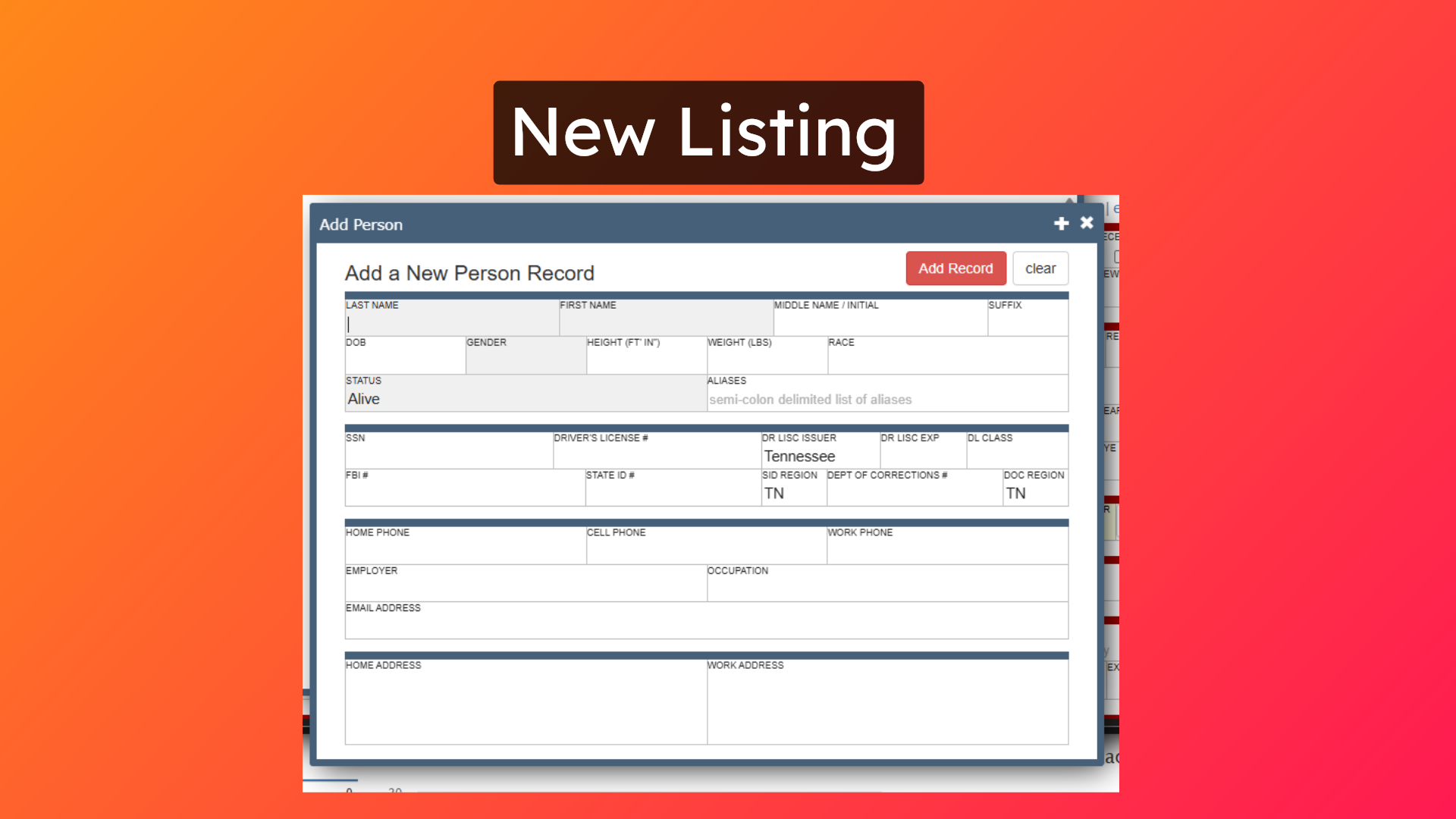
In the event the person is not listed in the master index, create a new listing for them if you are sure they are not already in the person index. This will assign them a LEX number, and will ensure any record or documentation will be associated and visible in the legal section of their master listing.
### 14. Field Interviews
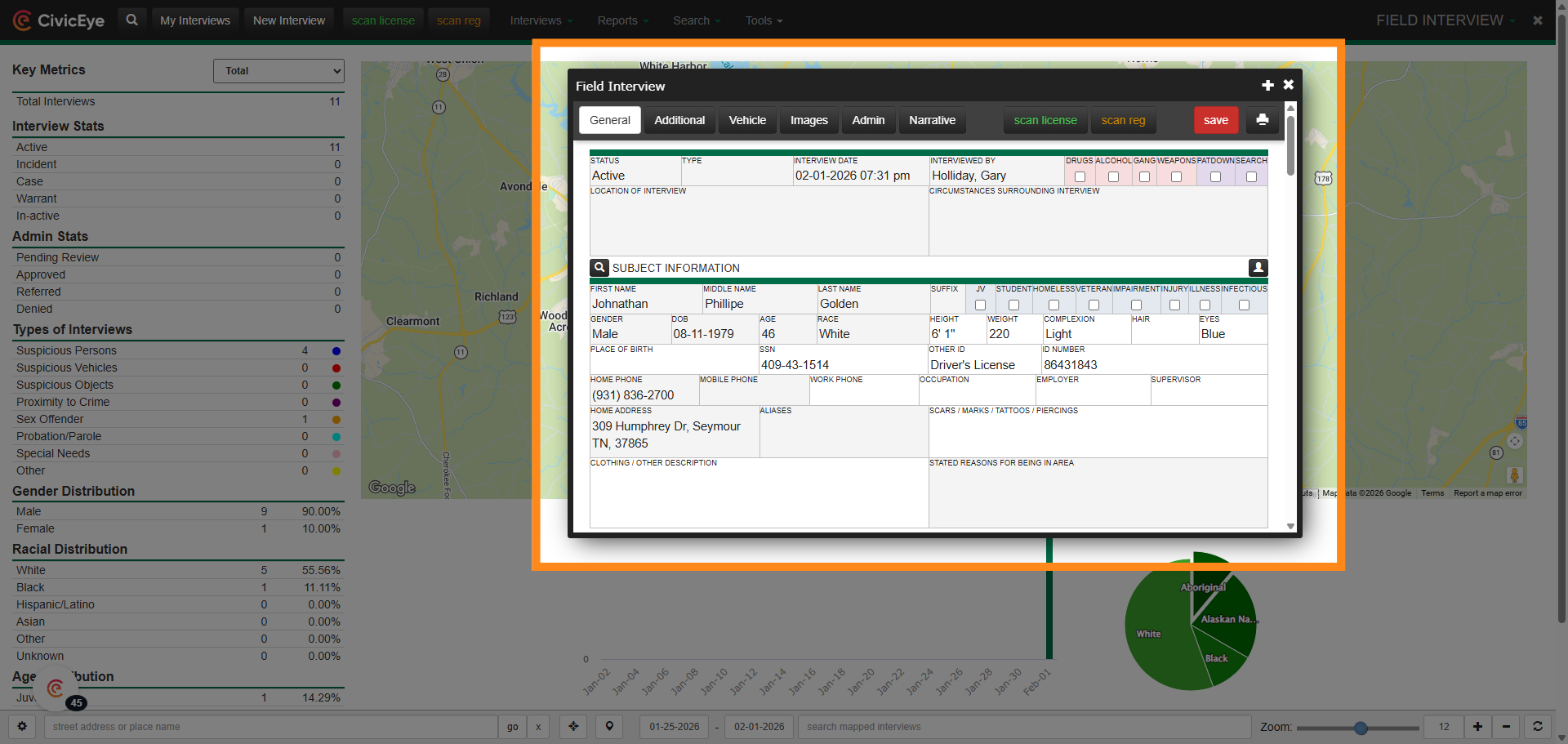
This process changes also effects field interviews.
### 15. Citations
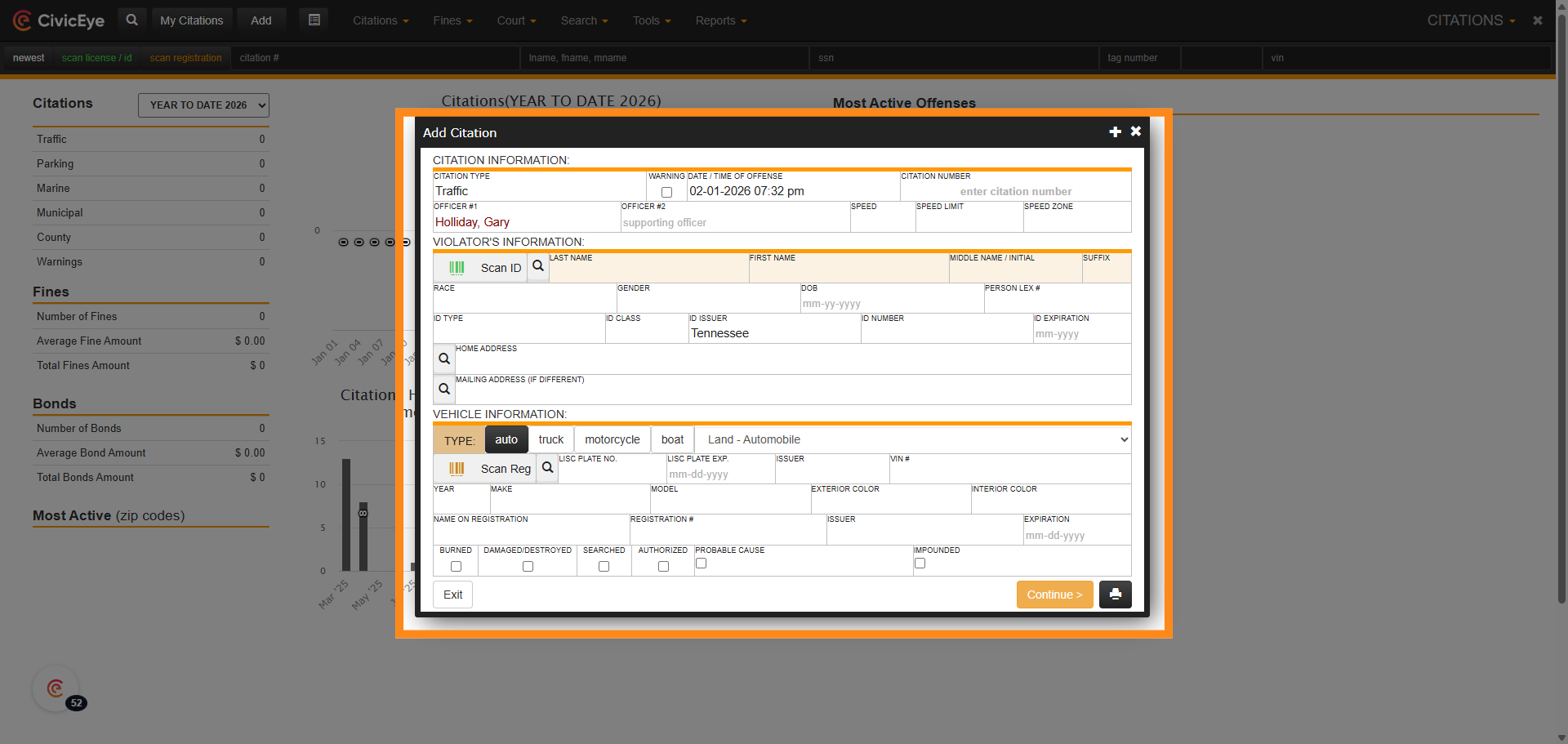
As well as citations.
### 16. Adding Parties Using the Master Name or Persons Index
Thank you for taking the time to watch this video and review the accompanying material. Again, the goal is to ensure that all reports, citations, field interviews and all other documentation can be associated or connected to a persons LEX number.
Please feel free to call us at anytime for questions or assistance at 877-778-5277, or email us at support@civiceye.com, and thank you for your continued support.
[Powered by **guidde**](https://www.guidde.com)
- [How to Request New Training Content](https://knowledgebase.civiceye.com/knowledge-base/how-to-request-new-training-content?hsLang=en)
- [CivicCase](https://knowledgebase.civiceye.com/knowledge-base/civiccase?hsLang=en#main-content)
- [Prosecutor and Admin Portals](https://knowledgebase.civiceye.com/knowledge-base/civiccase?hsLang=en#prosecutor-and-admin-portals)
- [CivicDocs](https://knowledgebase.civiceye.com/knowledge-base/civicdocs?hsLang=en#main-content)
- [Evidence Management](https://knowledgebase.civiceye.com/knowledge-base/civicdocs?hsLang=en#evidence-management)
- [User Access](https://knowledgebase.civiceye.com/knowledge-base/civicdocs?hsLang=en#user-access)
- [Defense Portal](https://knowledgebase.civiceye.com/knowledge-base/civicdocs?hsLang=en#defense-portal)
- [Law Enforcement Portal](https://knowledgebase.civiceye.com/knowledge-base/civicdocs?hsLang=en#law-enforcement-portal)
- [CivicRMS](https://knowledgebase.civiceye.com/knowledge-base/civicrms?hsLang=en#main-content)
- [Master Index](https://knowledgebase.civiceye.com/knowledge-base/civicrms?hsLang=en#master-index)
- [Incident Reports](https://knowledgebase.civiceye.com/knowledge-base/civicrms?hsLang=en#incident-reports)
- [NIBRS](https://knowledgebase.civiceye.com/knowledge-base/civicrms?hsLang=en#nibrs)
- [Property](https://knowledgebase.civiceye.com/knowledge-base/civicrms?hsLang=en#property)
- [Persons](https://knowledgebase.civiceye.com/knowledge-base/civicrms?hsLang=en#persons)
- [Arrest and Warrants](https://knowledgebase.civiceye.com/knowledge-base/civicrms?hsLang=en#arrest-and-warrants)
- [General](https://knowledgebase.civiceye.com/knowledge-base/civicrms?hsLang=en#general)
- [FAQs](https://knowledgebase.civiceye.com/knowledge-base/faqs?hsLang=en#main-content)
- [Support](https://knowledgebase.civiceye.com/knowledge-base/faqs?hsLang=en#support)
- [Training](https://knowledgebase.civiceye.com/knowledge-base/faqs?hsLang=en#training)
- [Support](https://knowledgebase.civiceye.com/knowledge-base/support?hsLang=en#main-content)
- [User Access / Permissions](https://knowledgebase.civiceye.com/knowledge-base/support?hsLang=en#user-access-permissions)
- [Getting started](https://knowledgebase.civiceye.com/knowledge-base/getting-started?hsLang=en#main-content)
- [CivicEye Personnel Module](https://knowledgebase.civiceye.com/knowledge-base/getting-started?hsLang=en#civiceye-personnel-module)
[.png?width=250&height=99&name=CivicEye_Identity_Secondary%20(4).png)](https://knowledgebase.civiceye.com/?hsLang=en)
The Platform for Public Safety
[mailto:help@civiceye.com](mailto:help@civiceye.com)
Copyright © 2025, CivicEye